Pricing
Each Findd product is priced per module, per user, per month: $4 for Basic or $8 for Pro. Pick Basic or Pro for each product you need. Start with one, and add the rest when you're ready. The Findd implementation team works with you every step of the way, from setup to go-live.
Basic
$4 per module, per user, per month
Pro
$8 per module, per user, per month
Every product, Basic or Pro, includes
- Findd employee app
- Multi-language
- DiDi Basic
- Intelligent Dashboards
HR
Hire quickly
Post jobs, manage applicants, and get them ready to work. Applicants apply with just a phone number, in any language, with no app to download.
A user is each active employee in your Findd employee record in the month.
HR
Hire quickly
Post jobs, manage applicants, and get them ready to work. Applicants apply with just a phone number, in any language, with no app to download.
A user is each active employee in your Findd employee record in the month.
- Standard hiring and onboarding pipeline
- I-9, tax forms and your own new-hire forms
- Employee record, org hierarchy and HR or payroll sync
HR
Hire quickly
Post jobs, manage applicants, and get them ready to work. Applicants apply with just a phone number, in any language, with no app to download.
A user is each active employee in your Findd employee record in the month.
Everything in Basic, plus:
- Custom HR pipelines and unlimited forms
- I-9 compliance management and automatic follow-up
- Credential expiry, WOTC, background checks and offboarding
- Document vault, pay details and badges
- Mobilize employee text messaging service
- LMS
WorkOps
Do the work perfectly
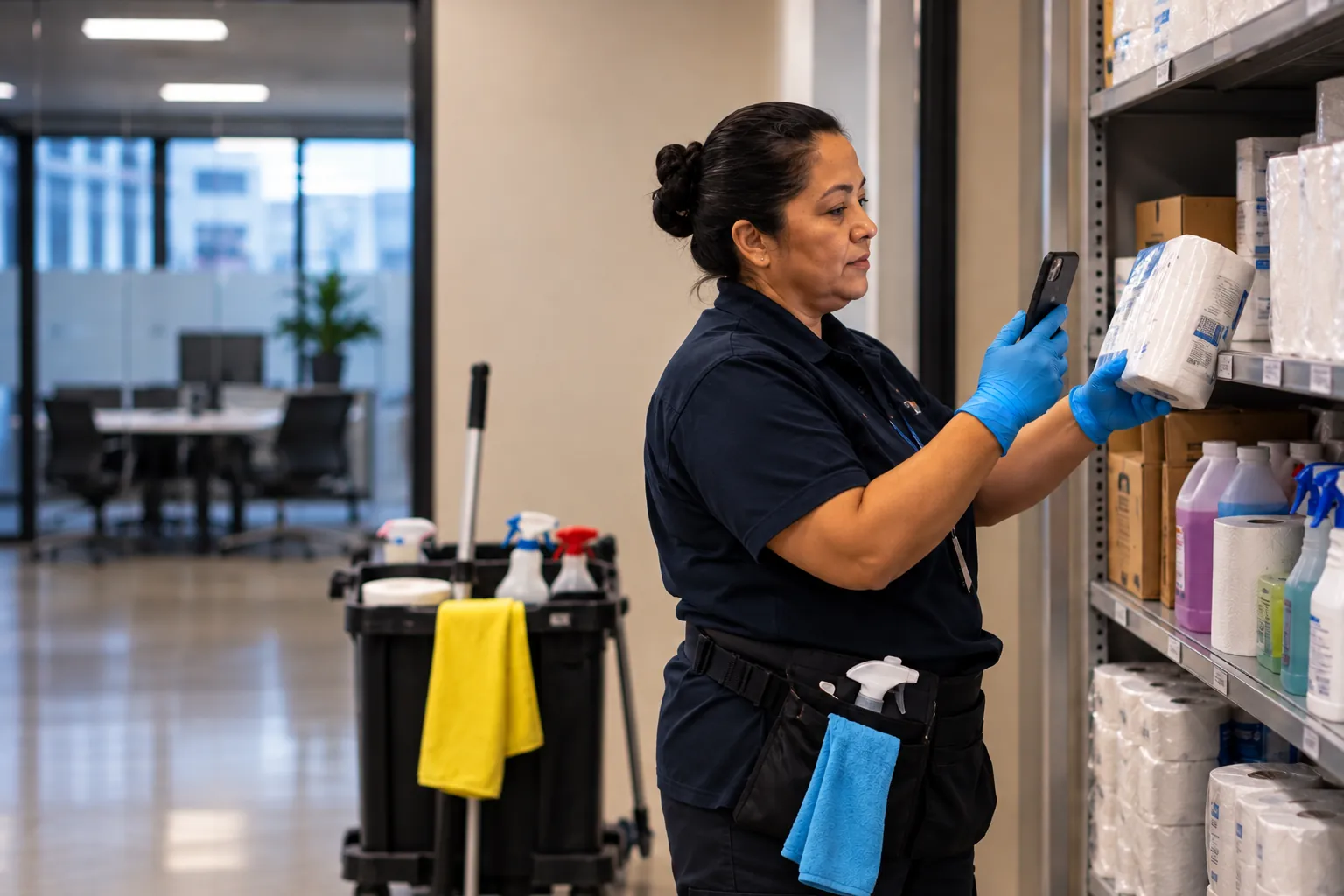
Scope, schedule, and deliver on customer commitments. Frontline staff get simple task lists and log photo proof of work in the Findd app.
A user is each person who works on tasks in the month.
WorkOps
Do the work perfectly
Scope, schedule, and deliver on customer commitments. Frontline staff get simple task lists and log photo proof of work in the Findd app.
A user is each person who works on tasks in the month.
- Daily task lists with photo proof
- Checklists and forms you build yourself
- Issue flagging and simple recurring tasks
- Works offline, with an audit log
WorkOps
Do the work perfectly
Scope, schedule, and deliver on customer commitments. Frontline staff get simple task lists and log photo proof of work in the Findd app.
A user is each person who works on tasks in the month.
Everything in Basic, plus:
- Smart recurring schedules, routes and checkpoints
- Follow-up and billable tickets
- Scored inspections and QA
- Client portal and PDF reports
- SpotProof AI quality checks
TLM
Pay your team correctly
Payroll-ready data for the shifts employees actually worked, in compliance with complex labor agreements and state laws.
A user is each person who creates or records work activity in the month.
TLM
Pay your team correctly
Payroll-ready data for the shifts employees actually worked, in compliance with complex labor agreements and state laws.
A user is each person who creates or records work activity in the month.
- Selfie clock-in on a phone or shared tablet, online or offline
- Geofence flags and job auto-select
- Exceptions dashboard and supervisor approval
- Hours export to payroll
TLM
Pay your team correctly
Payroll-ready data for the shifts employees actually worked, in compliance with complex labor agreements and state laws.
A user is each person who creates or records work activity in the month.
Everything in Basic, plus:
- Liveness, crew punching and punch-time questions
- Pay rules, union rates, break compliance and retro pay
- Automatic approval and overtime alerts
- Scheduling, open coverage and leave
- Labor budgets, expenses and ERP job sync
DiDi Pro
An add-on for any product, subject to usage limits.
$2 per user, per month
Custom DiDi AI assistant. DiDi answers questions, proactively reaches out when something needs fixing, and gets the work done by text, email, or in the app. Your team doesn't need to learn new software. They can talk to DiDi in any language, in the field or in the office.
Included in Every Tier
| Feature | Basic | Pro |
|---|---|---|
Mobile appOne Findd employee app for clocking in, tasks, schedules and forms, on a phone or a shared tablet. | Included in Basic | Included in Pro |
Multi-languageWorkers use Findd in English, Spanish or any other language. | Included in Basic | Included in Pro |
DiDi basicAsk DiDi questions by text or in the app, and get answers in your own language. | Included in Basic | Included in Pro |
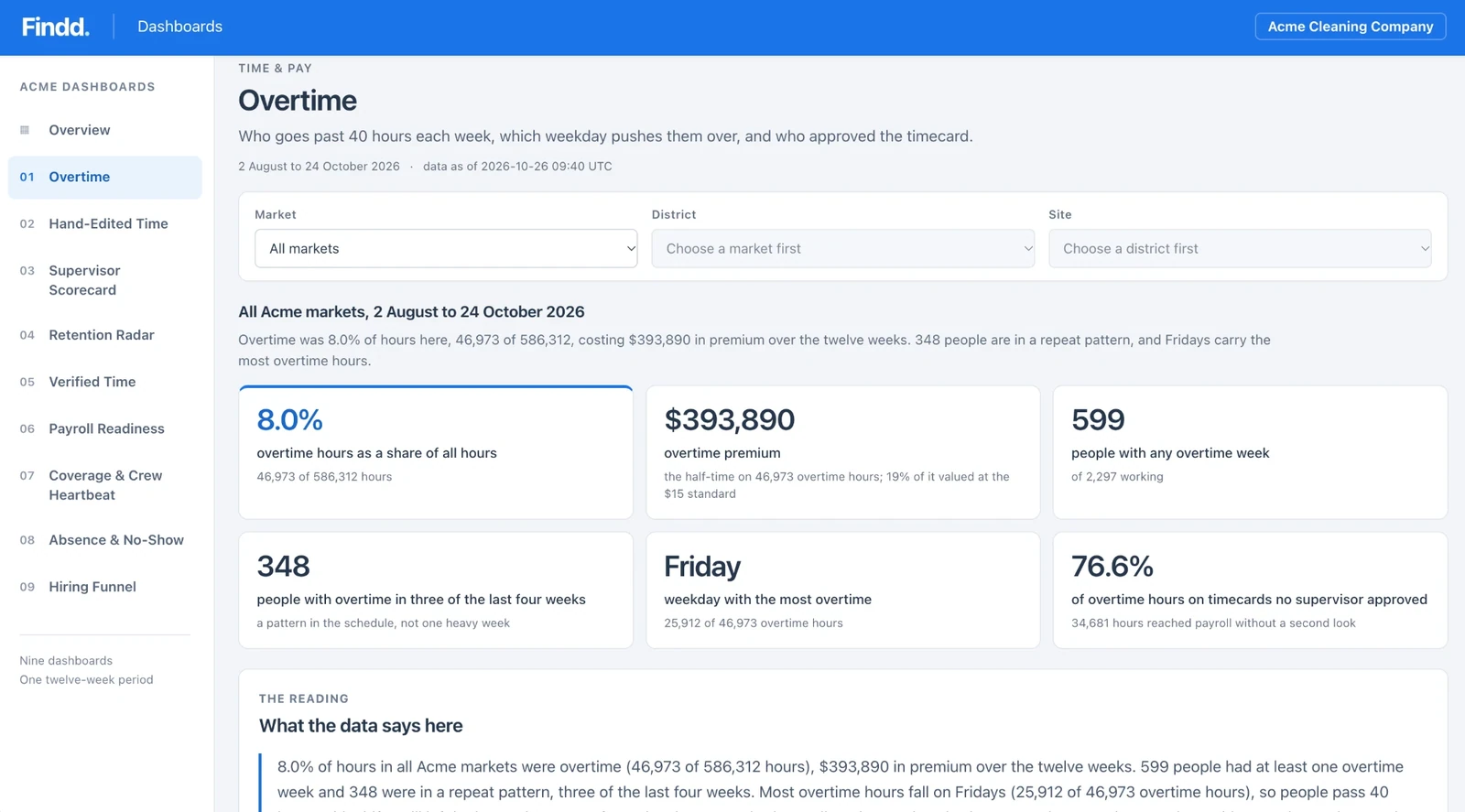
Intelligent dashboardsTurn your time, HR and work data into clear dashboards you can act on. Intelligent Dashboards tell you what happened, why it matters, and what to do next. No data warehouse, no SQL, and no new security model required. | Included in Basic | Included in Pro |
HR
Basic: $4Pro: $8
| Feature | Basic | Pro |
|---|---|---|
| Recruiting | ||
Job postingsCreate reusable job postings, tagged by region, business unit or client. | Included in Basic | Included in Pro |
QR code applyEvery job gets a QR code that applicants scan to apply. | Included in Basic | Included in Pro |
Text-to-applyApplicants apply with just a phone number. No email and no app to download. | Included in Basic | Included in Pro |
Translation into 140+ languagesThe application is translated automatically into the applicant's own language. | Included in Basic | Included in Pro |
Job board postingPost once and publish to your careers page and job boards like Indeed. | Included in Basic | Included in Pro |
Standard hiring and onboarding pipelineA ready-made pipeline that moves people from application to offer to onboarding on a Kanban board. | Included in Basic | Included in Pro |
Offer letter with e-signatureSend offers that candidates sign on their phone. | Included in Basic | Included in Pro |
Custom pipelinesBuild as many pipelines as you need for hiring, onboarding and other HR workflows, with rules for each stage. | Not included in Basic | Included in Pro |
DiDi candidate nudgesDiDi reminds stalled candidates, and supervisors approve or move applicants forward by replying to a text. | Not included in Basic | Included in Pro |
| Onboarding and compliance | ||
I-9New hires complete their I-9 on any device. | Included in Basic | Included in Pro |
Tax formsNew hires complete tax forms on their phone, entering details only once with Easy Complete. | Included in Basic | Included in Pro |
Standard formsLoad your own forms for new-hire paperwork. | Included in Basic | Included in Pro |
I-9 compliance managementTracks every I-9 to completion, including HR verification, deadlines, reverification and missing documents, with automatic reminders to employees and supervisors. | Not included in Basic | Included in Pro |
Compliance tracking and automated outreachFindd chases missing documents and follow-ups with employees and supervisors, so HR doesn't have to. | Not included in Basic | Included in Pro |
Credential and work-authorization expiryTrack licenses, certifications and site badges, and get flagged before they expire. | Not included in Basic | Included in Pro |
WOTC tax-credit screeningScreen new hires for Work Opportunity Tax Credits during onboarding, through our partner Synergy. | Not included in Basic | Included in Pro |
Background check stepAdd a background check step to your hiring pipeline. | Not included in Basic | Included in Pro |
Policy sign-offs and checklistsEmployees read and sign policies and checklists on their phone. | Not included in Basic | Included in Pro |
Bulk compliance exportExport every I-9 or other document for a date range in one file, ready for an audit. | Not included in Basic | Included in Pro |
Termination and offboarding flowRun offboarding as its own workflow, from final paperwork to closing the employee record. | Not included in Basic | Included in Pro |
| Employee record and org structure | ||
Employee recordOne record for each employee, with title, status, site and manager. New hires land here from onboarding. | Included in Basic | Included in Pro |
Org hierarchyWho reports to whom, by region, district and site. Every Findd module uses it for approvals and routing. | Included in Basic | Included in Pro |
Employee and org syncKeep employees and your org structure in sync with Workday, ADP, Paycom or another system. Leavers close automatically. | Included in Basic | Included in Pro |
Document vault and trackingEvery signed document in the employee's record, with its status, ready whenever you need it. | Not included in Basic | Included in Pro |
Pay and bank detailsStore pay rates and direct deposit details, with future-dated changes and an approval log. | Not included in Basic | Included in Pro |
Custom employee fieldsAdd your own fields, like skills, work history and tags. | Not included in Basic | Included in Pro |
BadgesAward badges for skills or tenure, and use them to prioritize scheduling. | Not included in Basic | Included in Pro |
Allowances and accruals by union or titleSet allowances and leave accruals by union or job title. | Not included in Basic | Included in Pro |
| Communications and training | ||
MobilizeText or email the frontline by site, title or company, and handle two-way replies with DiDi's help. | Not included in Basic | Included in Pro |
Unlimited custom forms and surveysBuild as many forms and surveys as you need, with weighted scoring. | Not included in Basic | Included in Pro |
Safety talksWorkers sign off on daily toolbox talks and safety training on their phone, for OSHA records. | Not included in Basic | Included in Pro |
LMSVideo orientation and training, with quizzes and pass marks. | Not included in Basic | Included in Pro |
WorkOps
Basic: $4Pro: $8
| Feature | Basic | Pro |
|---|---|---|
| Doing the work | ||
Daily task listsWorkers see their tasks in priority order, in the same app they clock in with. | Included in Basic | Included in Pro |
Photo proof and completion inputsWorkers complete tasks with live photos, numbers or notes as proof of work. | Included in Basic | Included in Pro |
Issue flaggingWorkers flag leaks, torn carpet or broken equipment from inside a task. | Included in Basic | Included in Pro |
Checklist and form builderTurn your scope of work into task lists and digital forms yourself. | Included in Basic | Included in Pro |
Simple recurring tasksRepeat tasks daily or weekly. | Included in Basic | Included in Pro |
Audit logEvery completed task is time-stamped and logged. | Included in Basic | Included in Pro |
Works offlineWorkers view and complete tasks with no signal. Work syncs when the device is back online. | Included in Basic | Included in Pro |
Basic notificationsText, email or push notifications for assigned and missed work. | Included in Basic | Included in Pro |
| Advanced work management | ||
Smart recurring tasksService on a schedule that fits the site, like every 2 hours in the morning, with holidays and blackout periods. | Not included in Basic | Included in Pro |
Follow-up ticketsAssign follow-up work to another worker, with a priority. | Not included in Basic | Included in Pro |
Billable ticketsTrack extra work as separate billable work. | Not included in Basic | Included in Pro |
RoutesPut tasks in route order, reordered by distance or priority. | Not included in Basic | Included in Pro |
QR, RFID and NFC checkpointsWorkers scan a code to open the right task or inspection, replacing paper checklists. | Not included in Basic | Included in Pro |
Security patrolsCheckpoint routes across sites, with photos at each stop. | Not included in Basic | Included in Pro |
Rule-based alertsAlerts triggered by your rules, like a missed clean or a low inspection score. | Not included in Basic | Included in Pro |
| Quality and proof | ||
Inspections and auditsScored inspections that automatically trigger re-clean work when a score is low. | Not included in Basic | Included in Pro |
Service validation and QA scoringPhoto-verified proof of service and QA scores you can share with clients. | Not included in Basic | Included in Pro |
PDF compliance reportsBranded PDF reports with photos for clients, OSHA or the Joint Commission. | Not included in Basic | Included in Pro |
Client portalClients see completed, pending and missed work through a secure link, with no login. | Not included in Basic | Included in Pro |
| Workforce optimization | ||
Labor estimates vs actualsEstimate the staffing a site needs from its work plan, and compare it with actual hours. | Not included in Basic | Included in Pro |
Piece-rate payPay by units completed, with photo proof, or by the hour, whichever is higher. | Not included in Basic | Included in Pro |
TLM
Basic: $4Pro: $8
| Feature | Basic | Pro |
|---|---|---|
| Punching | ||
Biometric facial checkWorkers clock in with a selfie, and Findd checks it's the right person. No special hardware. | Included in Basic | Included in Pro |
Phone and kiosk modesClock in on a personal phone or a shared tablet with a PIN, and clock out on either. | Included in Basic | Included in Pro |
Offline punchingClock in and out in basements and remote sites. Punches sync when the device is back online. | Included in Basic | Included in Pro |
Geofence flaggingSet a geofence for each job. Punches from outside it still go through and are flagged for review. | Included in Basic | Included in Pro |
Liveness detectionStops anyone clocking in with a photo of a co-worker's face. | Not included in Basic | Included in Pro |
Crew punchingA supervisor clocks a whole crew in or out from one device. | Not included in Basic | Included in Pro |
Punch-time questionsAsk questions at clock-in or clock-out, like PPE checks, injury reports or "did you take your meal break?" | Not included in Basic | Included in Pro |
Job auto-selectThe app shows the nearest or scheduled job first, so workers don't scroll through a long list. | Included in Basic | Included in Pro |
Hard geofence restrictionBlock punches from outside the geofence where your policy requires it. | Not included in Basic | Included in Pro |
GPS breadcrumbingTrack location during the shift to confirm route-based work. | Not included in Basic | Included in Pro |
| Timecards and payroll | ||
Jobs and sitesSet up the jobs and sites your crews work, with one pay rate per employee. | Included in Basic | Included in Pro |
Exceptions dashboardMissing or late punches, face mismatches and location flags in one place for supervisors to review. | Included in Basic | Included in Pro |
Supervisor approvalSupervisors review and approve their own crew's timecards on web or mobile. | Included in Basic | Included in Pro |
Hours export to payrollSend approved hours to ADP, Paycom or another payroll provider as a standard file. | Included in Basic | Included in Pro |
Employee roster uploadLoad employees from a spreadsheet. Automatic sync with your HR or payroll system comes with HR Basic. | Included in Basic | Included in Pro |
Approval by text replyManagers approve exceptions by replying to a DiDi email or text, with no login. | Not included in Basic | Included in Pro |
Positions and multiple pay ratesPay the same worker different rates for different positions and jobs. | Not included in Basic | Included in Pro |
Pay codes and differentials in the exportApproved hours go to payroll by job and pay code, with differentials already applied. | Not included in Basic | Included in Pro |
Overtime and late-punch alertsSupervisors are alerted when a crew is heading into overtime or someone is late. | Not included in Basic | Included in Pro |
Employee self-correctionEmployees get alerts about missing time and add it themselves. The supervisor approves the change. | Not included in Basic | Included in Pro |
Meal and rest break enforcementBreak prompts at set times, an optional lockout until the break is over, and penalty pay calculated automatically. | Not included in Basic | Included in Pro |
Pay rules engineDaily, weekly, 7th-day and California overtime, shift differentials, daily minimums and per diems, set up for you during implementation. | Not included in Basic | Included in Pro |
Union and CBA rate tablesUnion rates tied to jobs, so every hour is paid at the agreed rate, with union reports. | Not included in Basic | Included in Pro |
Retro pay, back pay, rate changesWhen a rate changes, Findd recalculates past pay periods so back pay is right. | Not included in Basic | Included in Pro |
Cost splitsSplit a worker's time across jobs and cost codes. | Not included in Basic | Included in Pro |
Automatic timecard approvalTimecards that match the schedule and your rules approve themselves. Supervisors only see the exceptions. | Not included in Basic | Included in Pro |
| Scheduling and leave | ||
Assigned-shift schedulingBuild shifts and schedules. Workers see theirs in the employee app, with site photos and instructions. | Not included in Basic | Included in Pro |
Open coveragePost how many people each site needs. Whoever clocks in fills a slot, and supervisors are alerted if slots are still open. | Not included in Basic | Included in Pro |
Schedule fulfillment and planningSee how many shifts are filled and where you're heading for understaffing or overtime. | Not included in Basic | Included in Pro |
Open-shift text broadcastOpen shifts go out by text, and employees claim them with a reply or a tap. | Not included in Basic | Included in Pro |
Leave managementEmployees request time off and see their balances on their phone. Supervisors approve on mobile. | Not included in Basic | Included in Pro |
GigPoolsOffer open shifts by text to a pool of extra or on-call workers, so the same people aren't always covering. | Not included in Basic | Included in Pro |
| Labor cost | ||
Labor budgetingSet hours and dollars for each job and track actuals against budget in live dashboards. | Not included in Basic | Included in Pro |
Live mapSee who's clocked in and where, on a map. | Not included in Basic | Included in Pro |
Expenses with receiptsLog expenses against jobs with receipt photos. | Not included in Basic | Included in Pro |
ERP job syncJobs and cost codes come in automatically from Sage Intacct, WinTeam or Workday. | Not included in Basic | Included in Pro |
Start With One Product, Add the Rest When You're Ready
Most teams start with the problem that costs them the most, like payroll-ready time or hiring. Every product you add uses the same employees, jobs, and sites, so nothing gets set up twice. You can also roll out one region or a few sites at a time, and add more as your supervisors get comfortable.
Enterprise Workforce Management
For larger organizations with several companies, regions, or payroll systems, Enterprise Workforce Management brings every Findd module together. It's SOC 2 compliant, connects to systems like ADP, WinTeam, UKG, Workday, and Sage Intacct, and comes with a rollout plan built around your business. Contact us for pricing.
DiDi Pro
DiDi Basic is built into every Findd product, so your team can ask DiDi questions and get answers from your Findd data from day one. DiDi Pro adds custom skills for your business from $2 per user per month.
Get a Price for Your Team
Every company is set up a little differently, with its own pay rules, sites, and systems. Book a demo, and we'll walk through how your team works and put together pricing that fits.
The Findd Operating System
Each Findd product works on its own, and they work better together. When you add Findd HR to TLM, new hires go from application to onboarding to their first punch in one system, without being entered twice. And because every product shares the same employees, jobs, and sites, each one you add is ready to use from day one.
Learn more about the Findd Operating System ›