Pay Your Team Correctly
Findd's Time and Labor Management creates payroll-ready data for the shifts your employees actually worked, while keeping you in compliance with complex labor agreements and state laws.
Verified Time Data
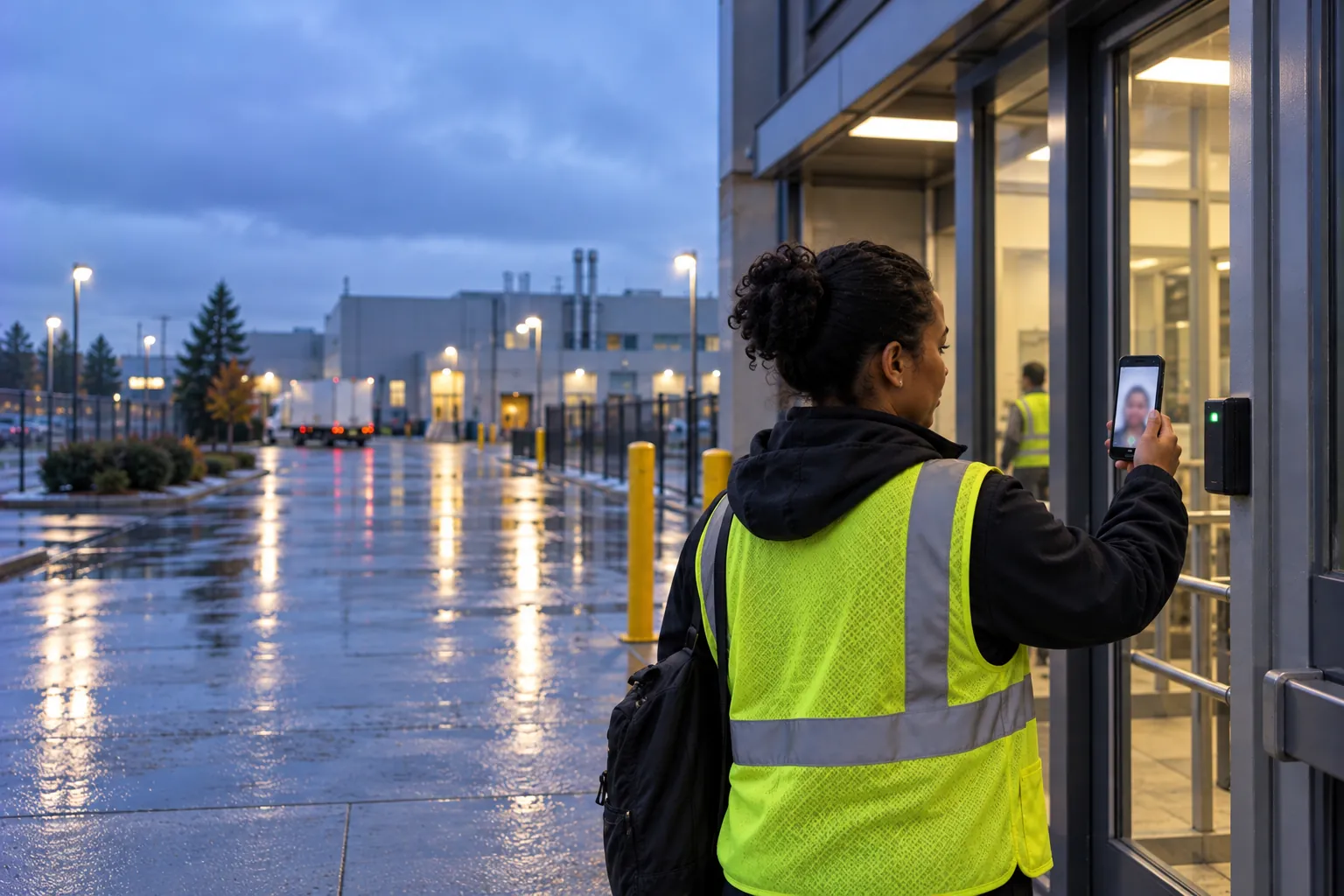
Every punch is checked for the right person, at the right place, at the right time. Frontline workers use Findd Engage on their phone or a shared tablet to see their shifts, clock-in/clock-out, and manage their breaks. It works anywhere, from office buildings to remote sites, online or offline, in English, Spanish, or any other language.
Clock in With a Selfie
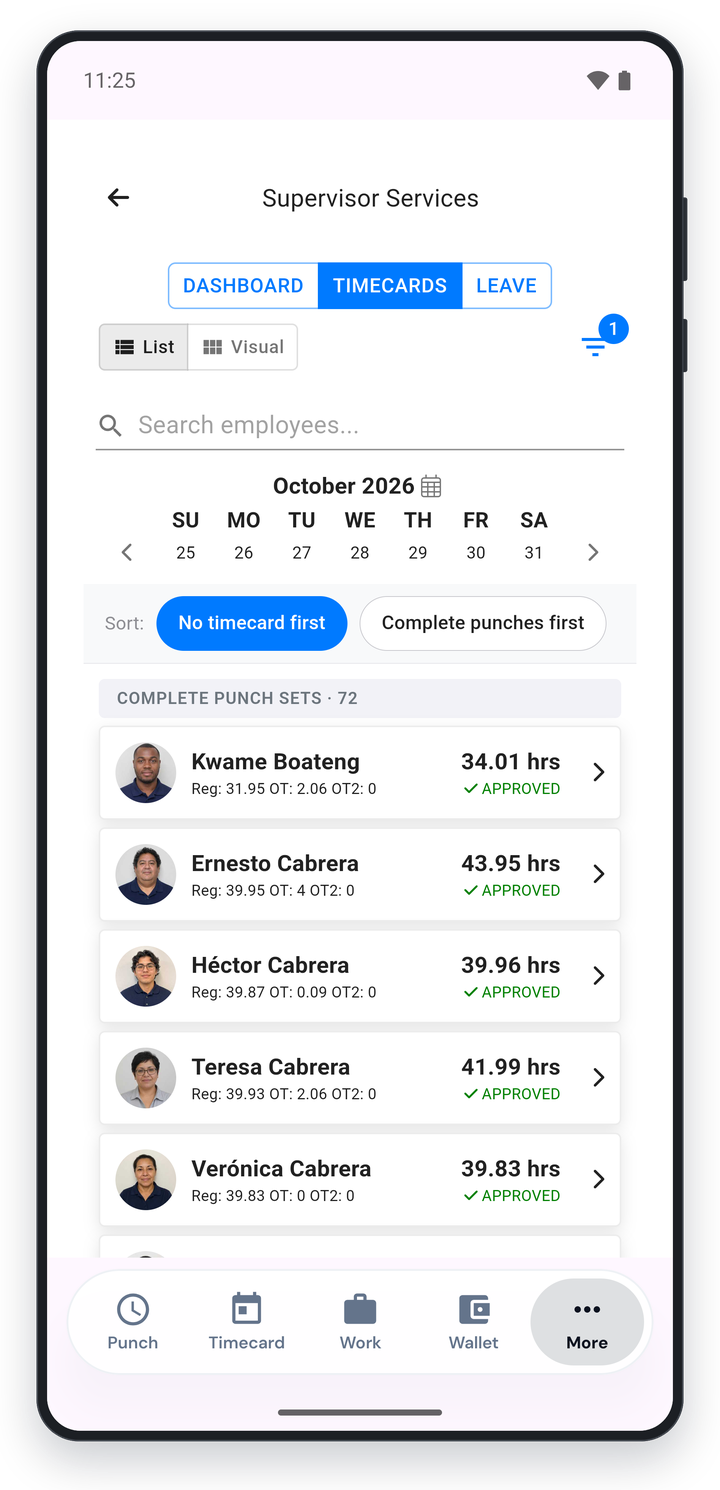
When a worker shows up for their shift, the position, job, and location are automatically selected in the Findd employee app, making it easy for workers to clock in. No special hardware is required. They simply take a selfie. You can use a shared crew device, wall- or kiosk-mounted tablets with a PIN, or personal devices when allowed by your policies. It's easy, familiar, and secure.
Break Tracking
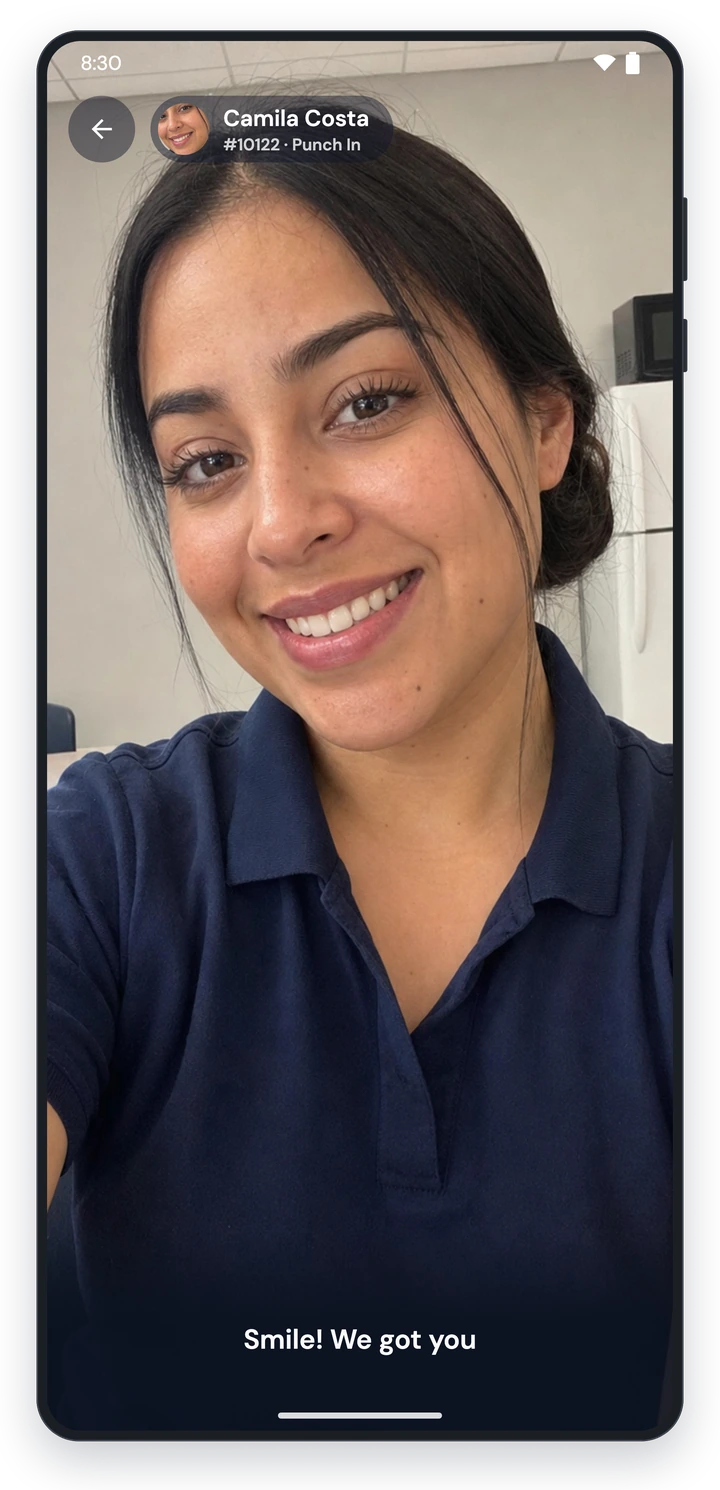
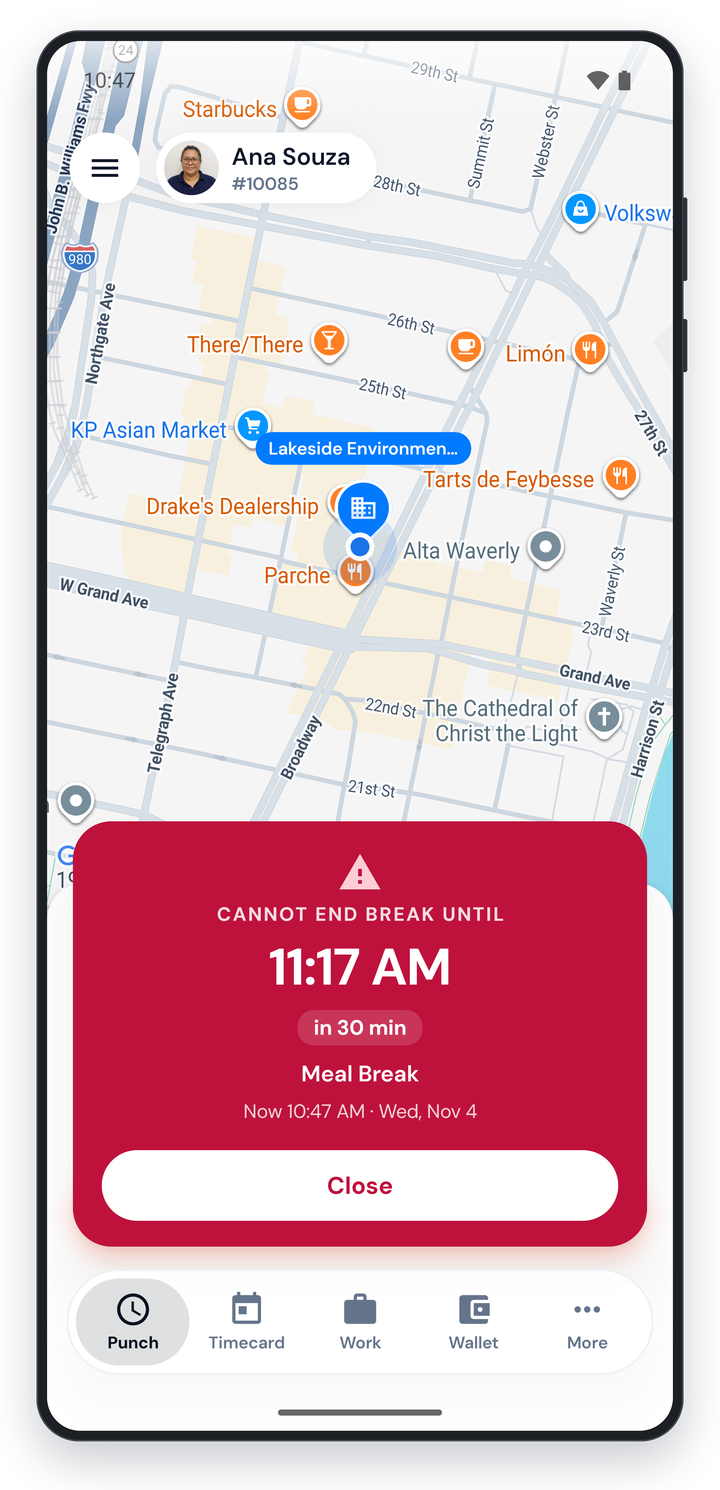
Break tracking ensures that workers take breaks, log them, and stay in compliance with your employment agreements. Add break prompts at set times in the shift, or by duration from shift start, optionally lock workers out until their minimum break is over, and verify meal and rest breaks at clock-out. When your agreements require it, penalty pay is calculated automatically.
Approve Time Where the Work Happens
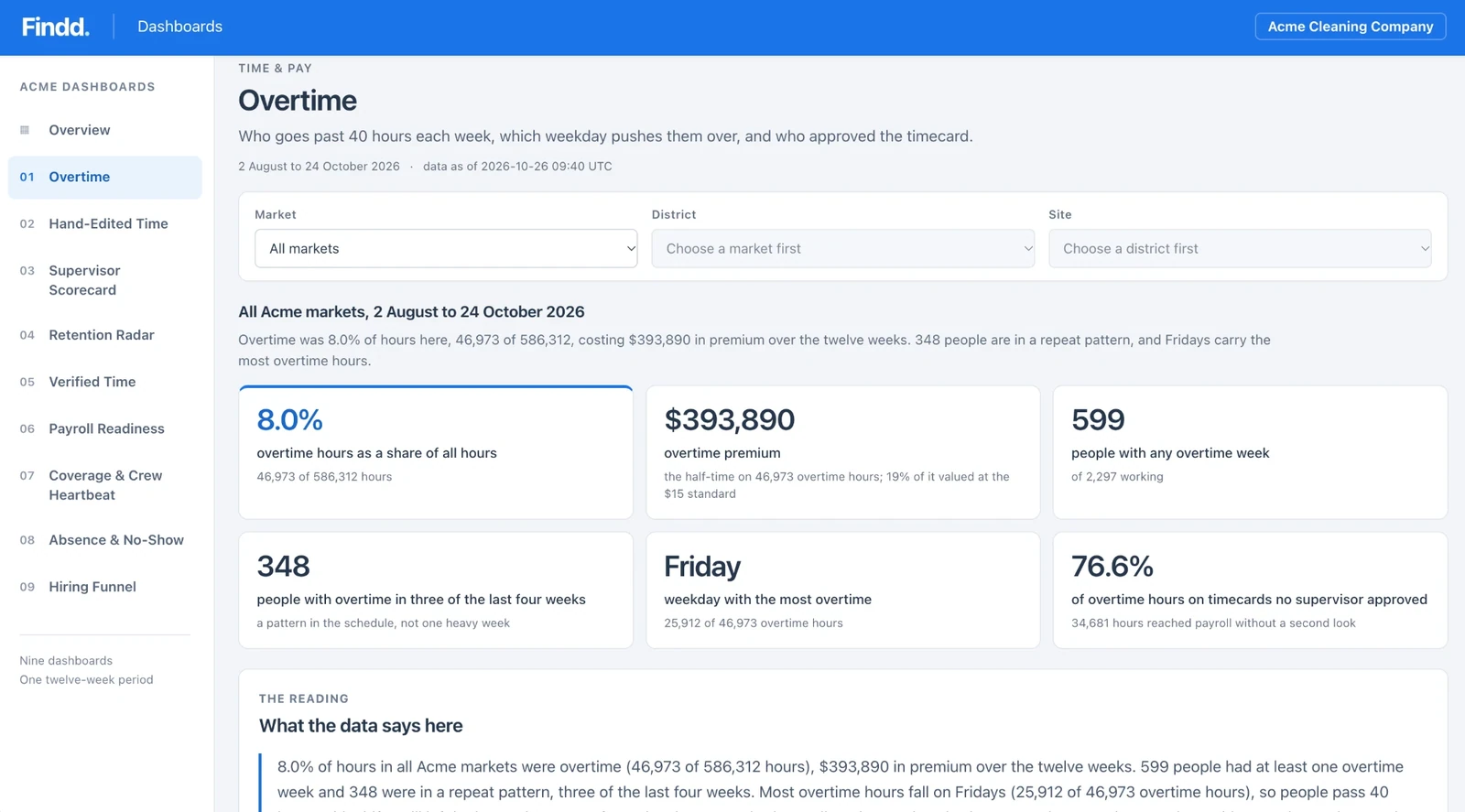
Findd checks every timecard against the schedule and your rules. Timecards that look right are approved automatically, and supervisors only see the ones that need a second look.
Supervisors see overtime, missing punches, and unapproved timecards for their own crews, and fix or approve them from their phone. They can sort and filter timecards, switch to a visual timecard view, and ask DiDi about hours, open punches, or time off. Approving every day, instead of all at once at the end of the pay period, means mistakes get fixed while everyone still remembers the shift. Each supervisor only sees the people they're responsible for.
Employees get alerts about missing time and can add it themselves. The supervisor then approves the change. Managers can approve exceptions by replying to a DiDi email, with no login.
Every change is color-coded and logged in a full audit trail, and pay periods can be locked before export.
Correct timecards approve themselves
Findd checks every timecard against the schedule and the thresholds your organization sets, approves the ones that match, and sends only the exceptions to a supervisor.
Daily timecard check
Tuesday shift
Harbor Point Tower
- Scheduled: 5:00 PM to 1:30 AM
- Clock-in window: 10 minutes
- Weekly overtime alert: over 40 hours
Approval rules
Set once for your organization, by site or position
| Rule | Esperanza | Alma |
|---|---|---|
| Clocked in and out within 10 minutes of the schedule | ✓ | ✓ |
| No missing punches | ✓ | ✓ |
| No hand-edited time | ✓ | ✕ |
| Stays under the weekly overtime threshold | ✓ | ✓ |
| Punch verifiedFace match at the site | ✓ | ✓ |
Esperanza MendozaApproved automatically
Timecard, Tue 11/3, approved by rule
Day porter, 5:00 PM to 1:30 AM8.00 h
Matched the schedule, so no supervisor time was needed
Alma DíazNeeds review
Her clock-out was added by hand, so the timecard goes to her supervisor, Kim Patel, with the change and who made it.
RulesYou choose the rules and the thresholds, and supervisors only see the timecards that need them.
Complete Coverage, With or Without Schedules
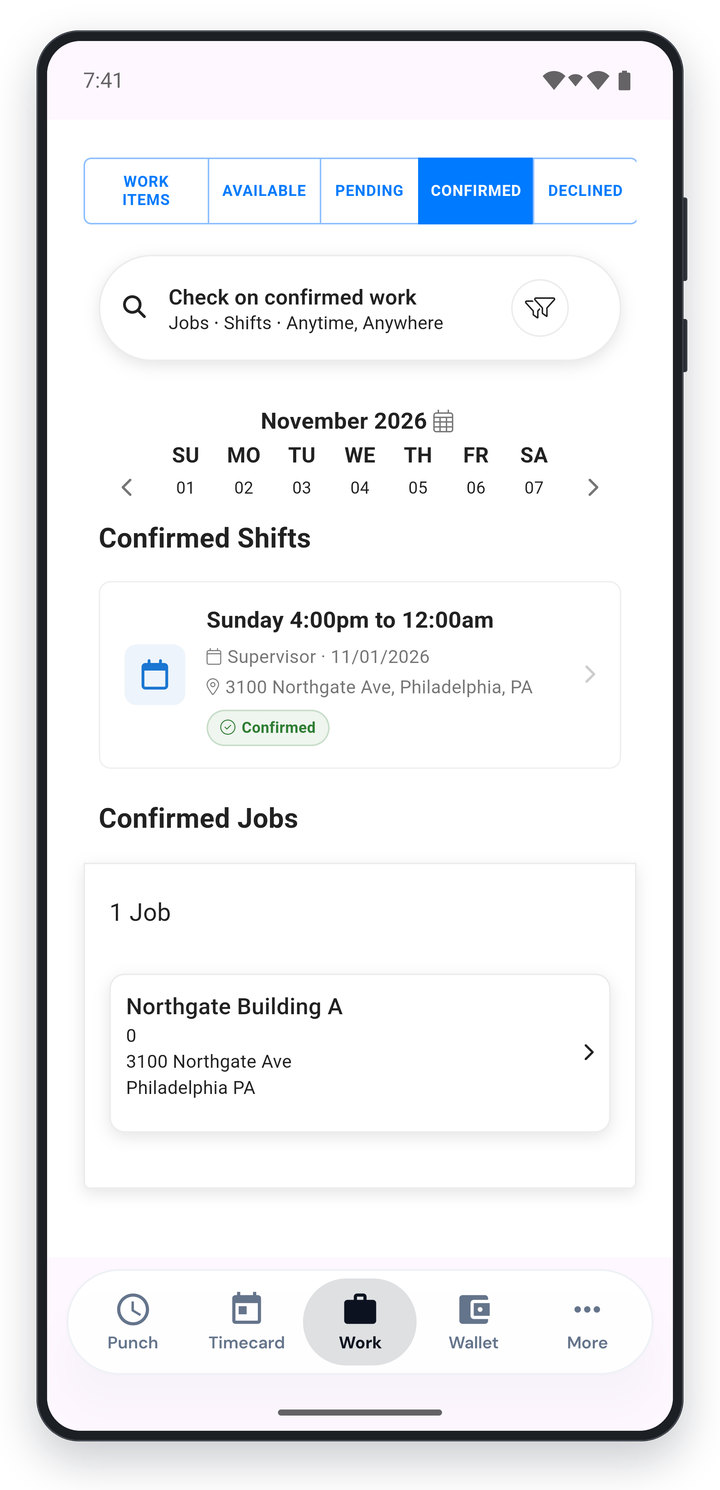
Shifts and schedules are easily created, and workers can see their schedules right inside the Findd employee app. Employees see open shifts in their Work tab and claim them with a tap. Supervisors have dashboards and alerts to review overtime coverage, so keeping a schedule on budget becomes the routine.
You hear about a no-show before your client does. With Open Coverage, you can post how many people each site needs. When someone clocks in at the site, they fill an open slot automatically. It's built for day porters and night crews whose start times vary, so nobody has to keep exact shift times up to date. If too many slots are still open near the deadline, supervisors get an alert while there's still time to find coverage.
Biometrics & Liveness
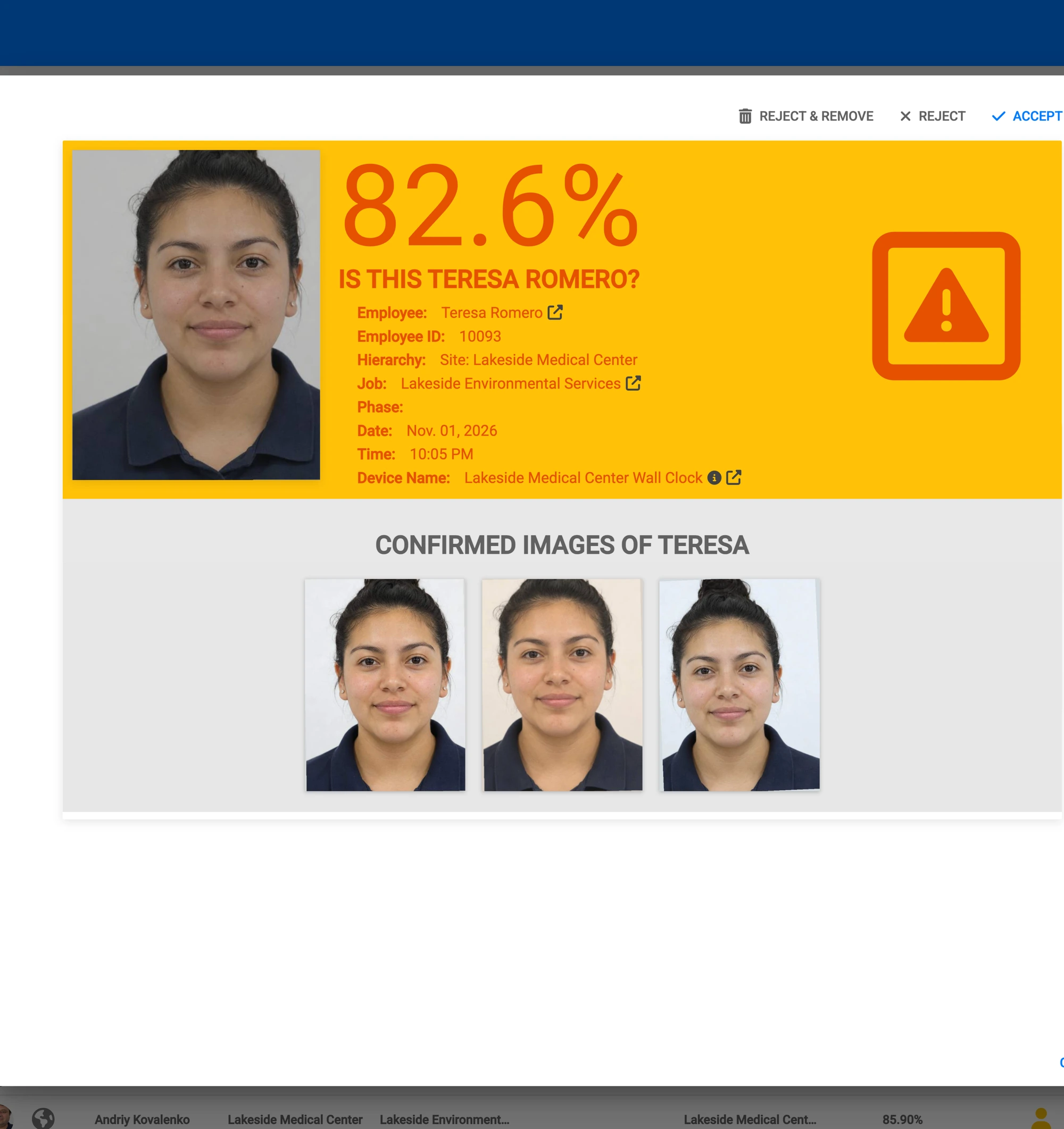
TLM verifies the right employee showed up at the right job with a selfie – using biometrics, liveness detection, and geofencing to create time data you can trust. Every punch keeps a photo that can be verified by a human, and exceptions are flagged for supervisor review. It works online, offline, in remote locations. All you need is a smile.
Offline Clocks
No signal, no problem. Employees clock in and out in basements, parking structures, and remote sites, and everything syncs when they're back online. Face matching happens in the Findd employee app, on a phone or tablet, even without an internet connection. Once the device is brought to a location with internet access, the punch data is synced and verified by the system. Out-of-order punches are reconciled and flags are sent to supervisors for review.
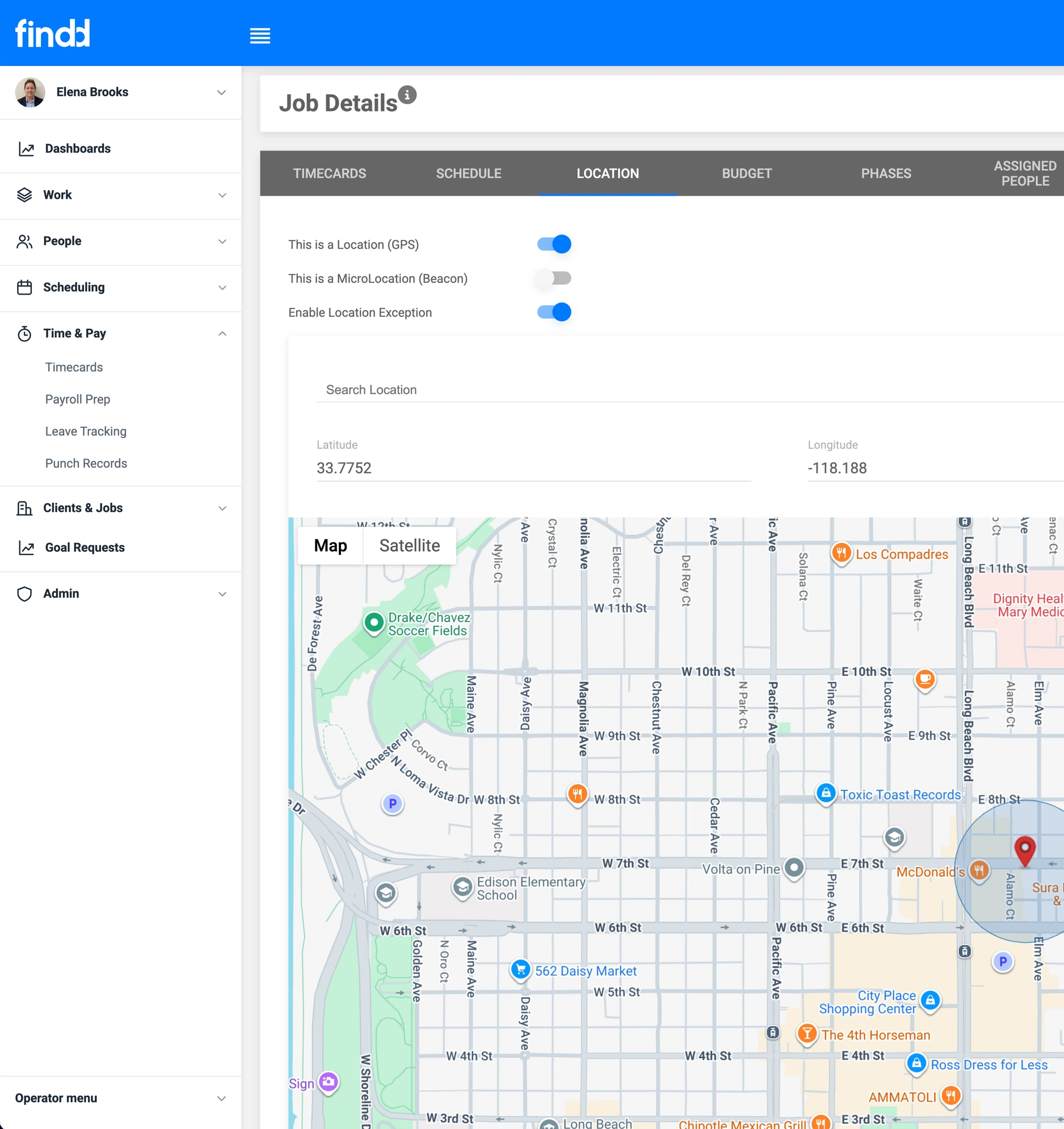
Use Physical Location Data to Verify and Direct Workers
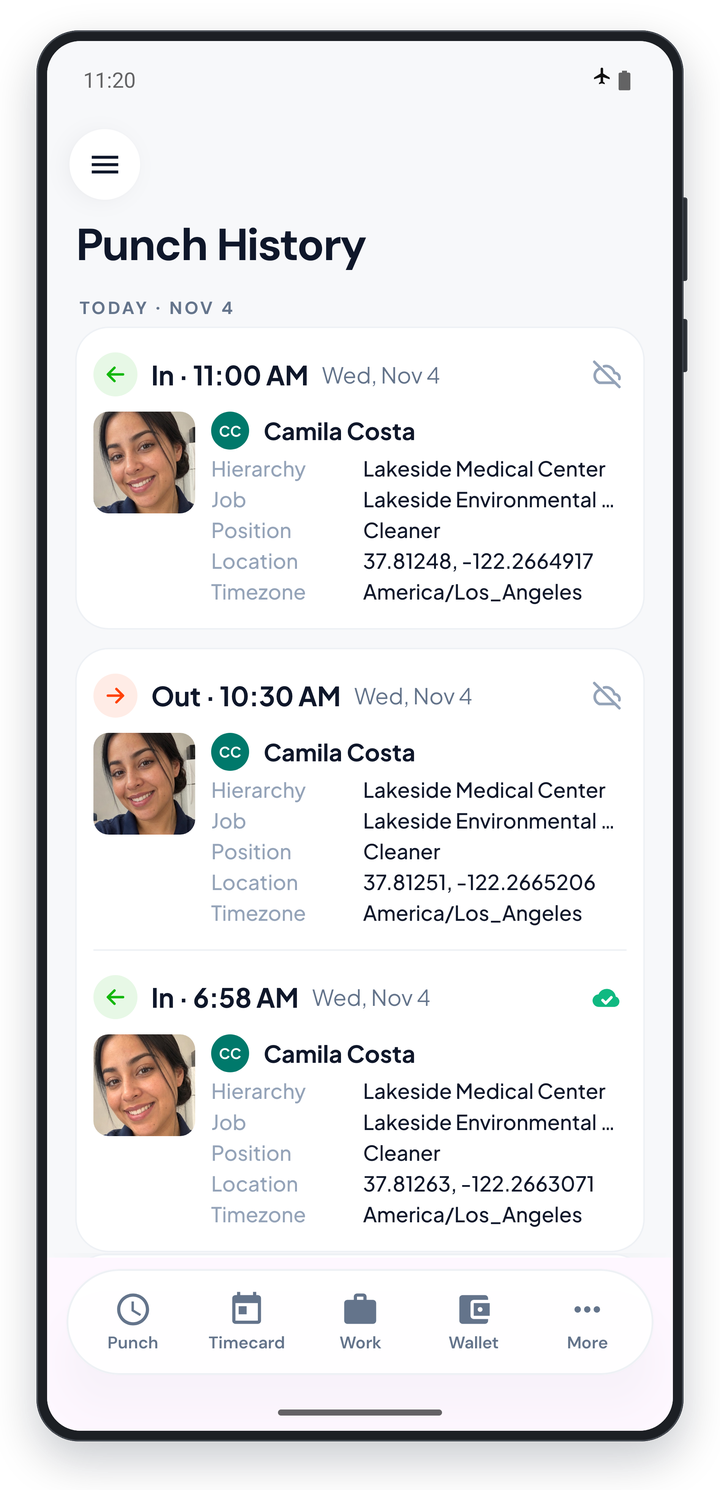
Set up locations and geofences for specific jobs. This makes it easier to verify if a worker is at the right site when punching in. Workers outside the location can either punch in and get flagged to supervisors for review, or be blocked from punching in, whichever you choose. Optionally, you can track location during a shift to validate route-based work, and precise-location in buildings can be tracked with beacons and NFC.
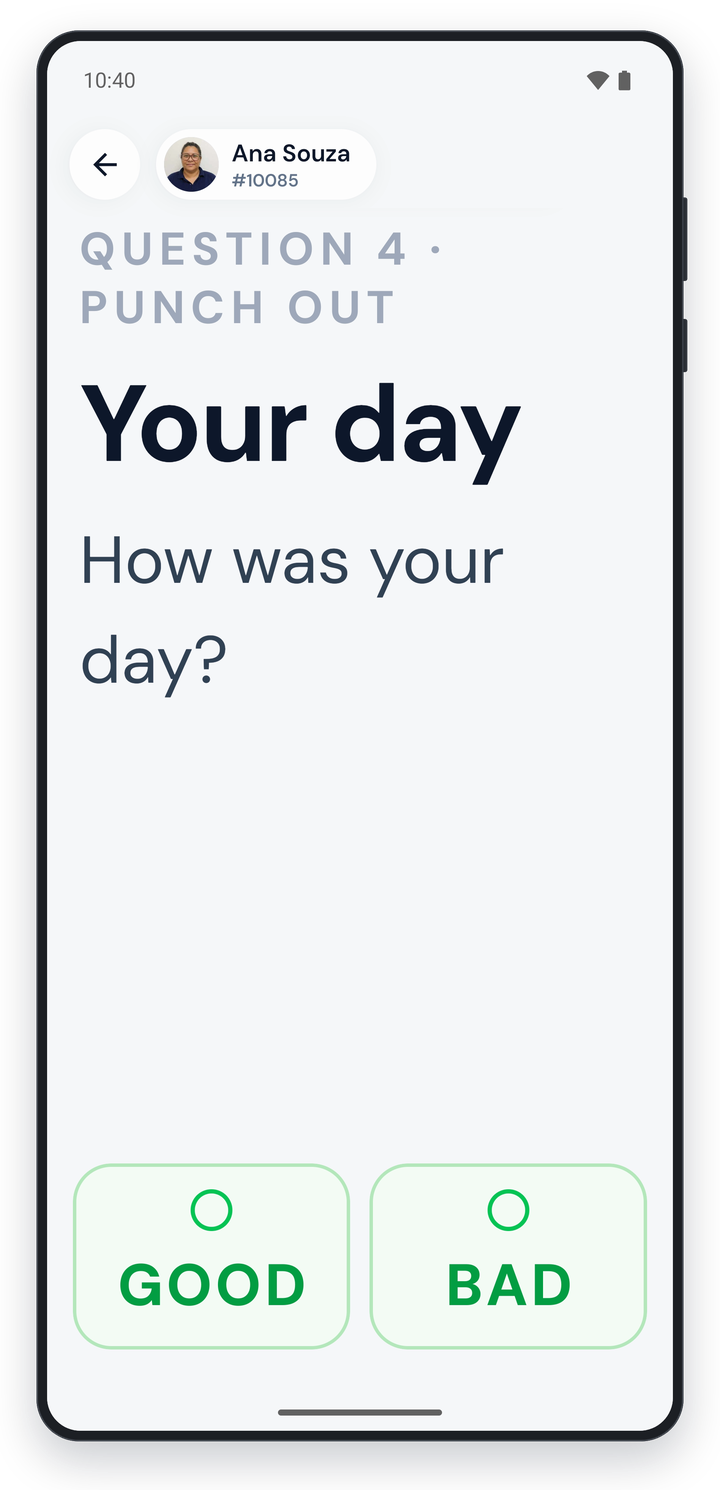
Ask Questions During Punch in and Out
Create custom questions at clock-in, clock-out, or a job change. For example, easily track PPE checks, injury reports, and "did you take your meal break?" Answers that need attention get flagged. And you have all the data you need for compliance and analytics.
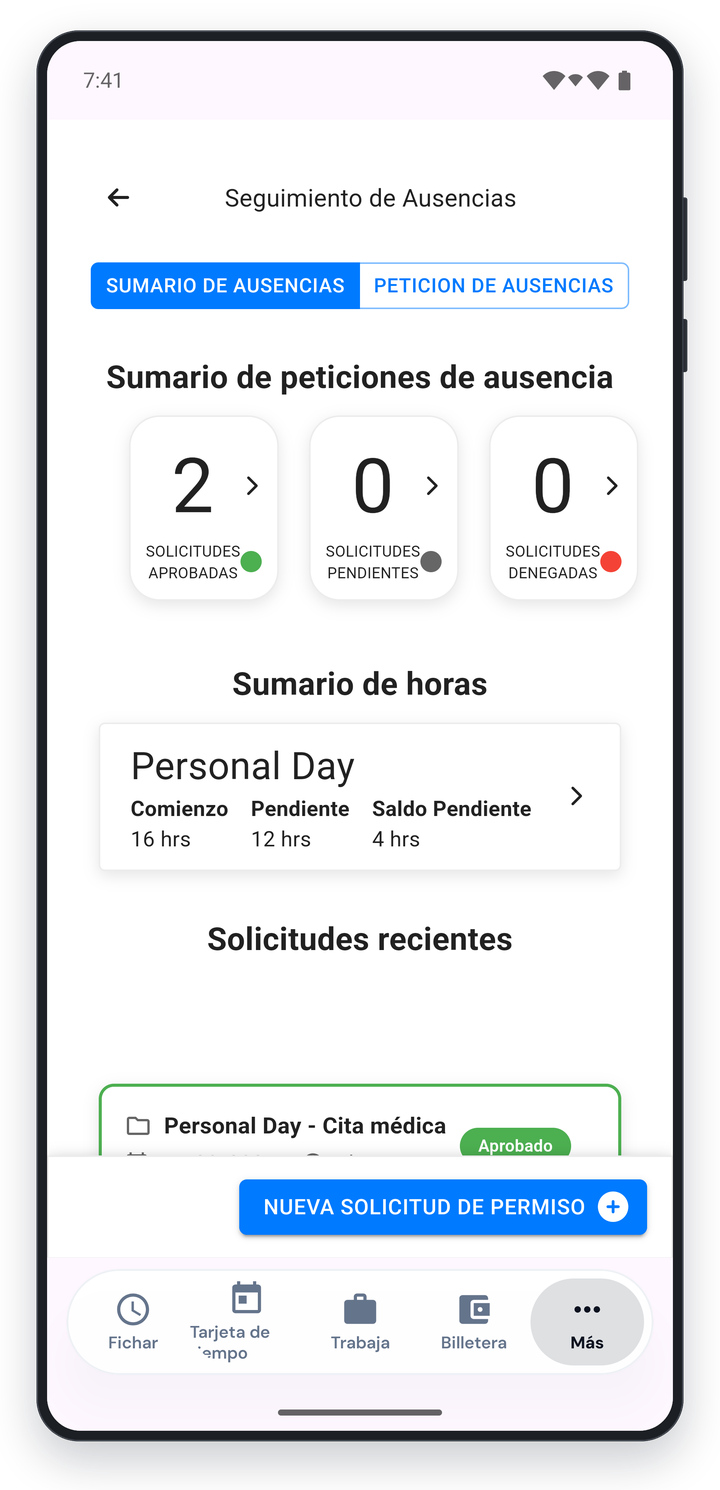
Leave Management
Support easy and complex leave-management needs. Employees request time off on their phone and see their balances, and supervisors approve on mobile.
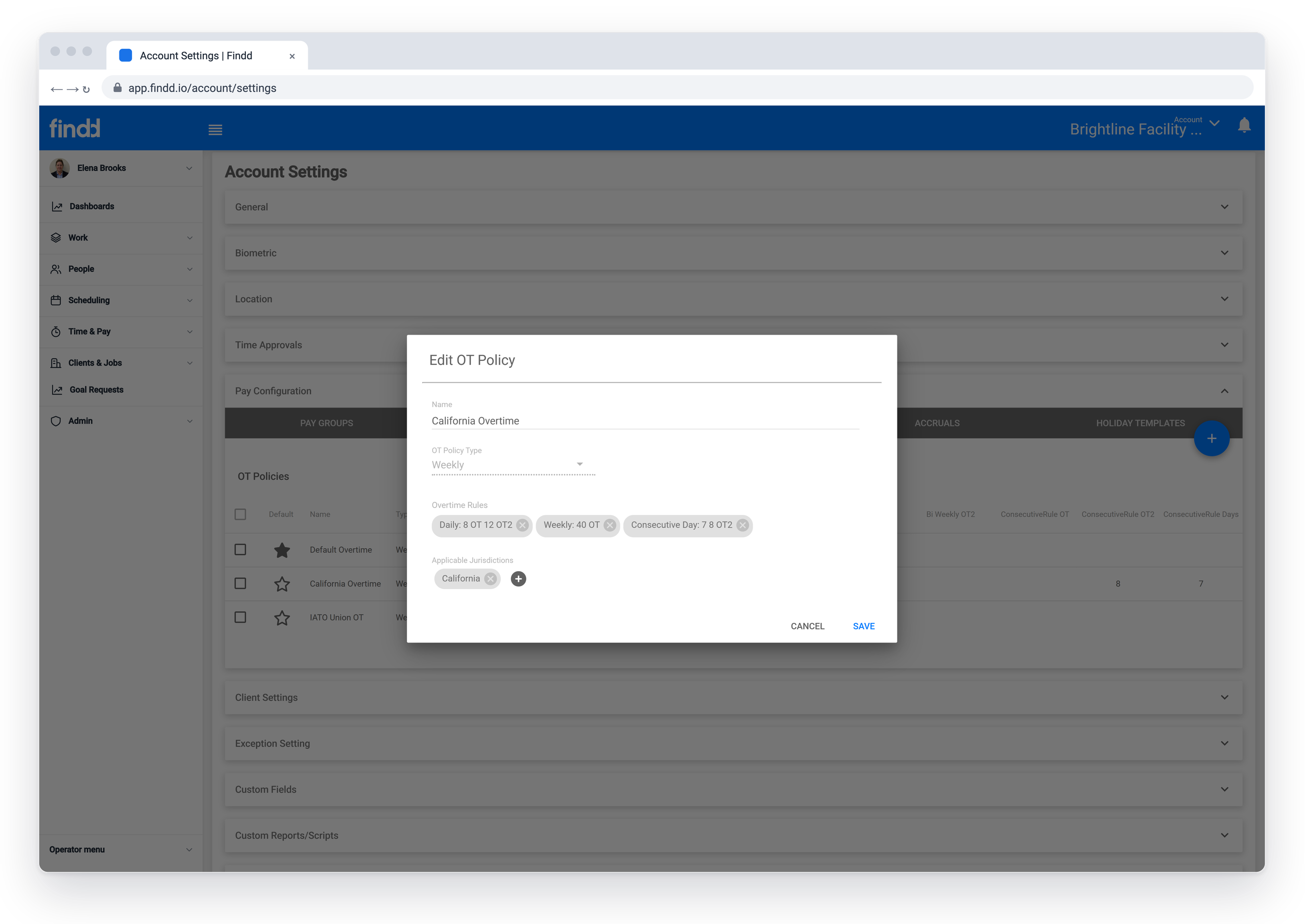
Pay Rules That Match Your Labor Agreements
Findd supports complex pay rules, created for you during your implementation so that you are always in compliance with your pay agreements, such as:
- daily, weekly, 7th-day and California overtime, etc.
- shift differentials (e.g. day vs. night cleaner)
- guaranteed daily minimums
- per diems and travel pay
- union rate tables tied to jobs
- piece-rate pay
- prevailing wage
- multi-state rules and shifts
- meal and rest premiums are calculated automatically
Learn more about how we help with overtime and prevailing wage
Job Costing
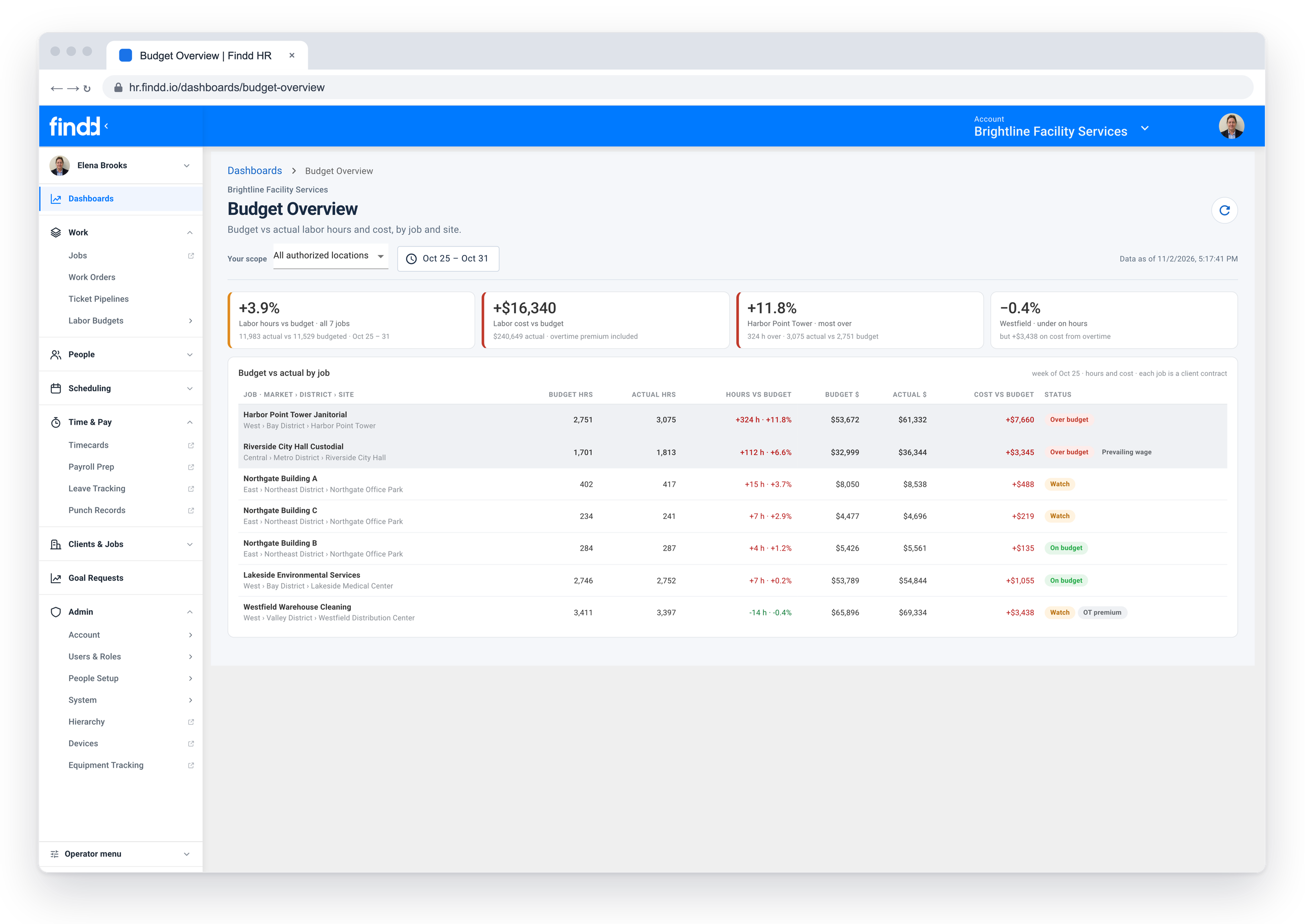
Track hours by job and cost code, splitting time across jobs, phases, and positions. Add job specific hour-based or dollar expenses, with receipt photos on each expense. Budgets can be reported against live dashboards and reports, with alerts when teams are heading into overtime, ensuring you deliver the work within your margin goals.
Payroll-Ready Data Integrated With Your Payroll Provider
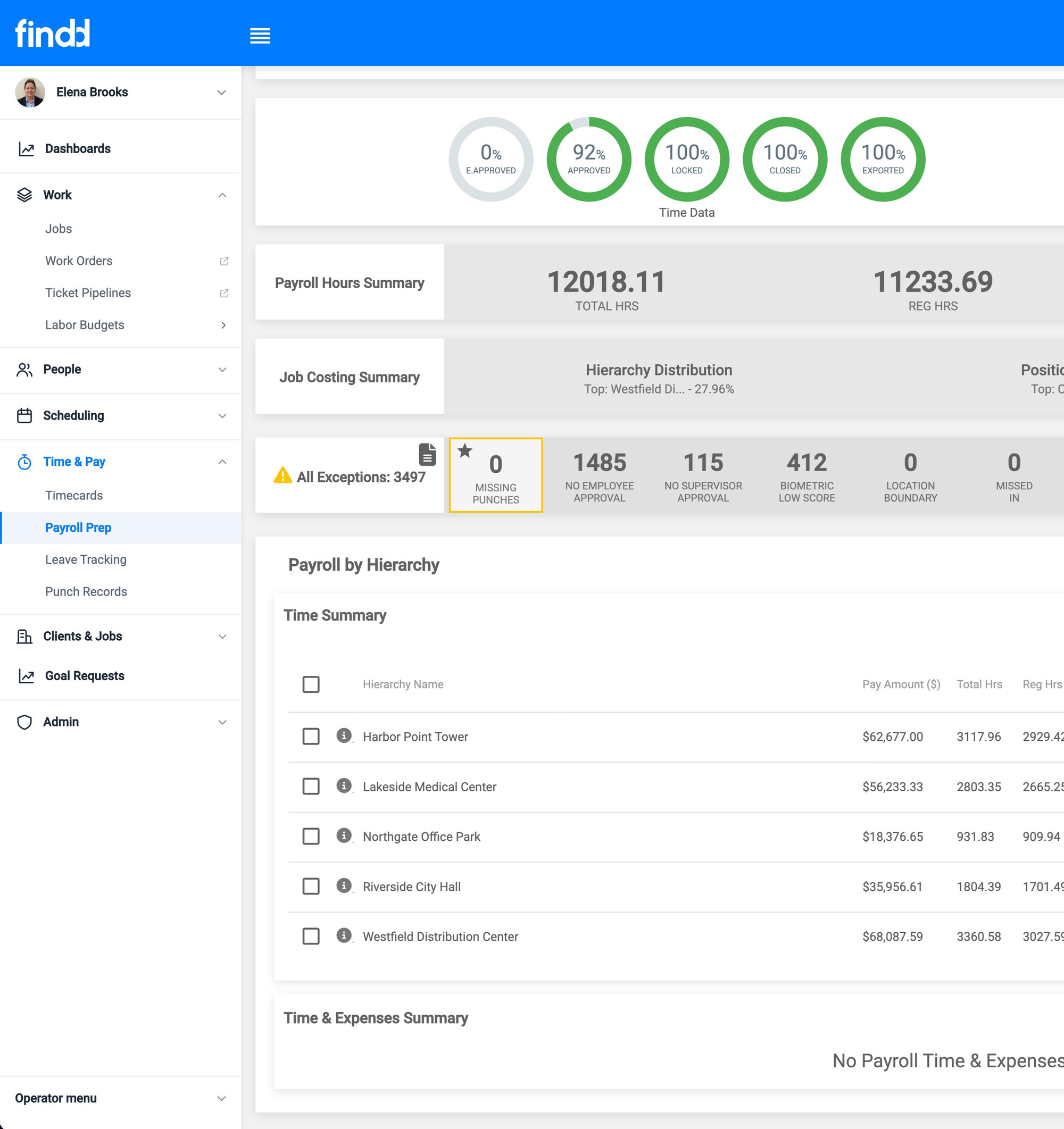
Pay your team correctly the first time. Findd integrates with your payroll provider, like WinTeam or ADP, giving you a trusted source of truth you can rely on – and saves your team the hassle of juggling multiple CSVs, data uploads, and hand calculations. Jobs and cost codes come in, approved hours by job and pay code go out.
The Findd Operating System
When you connect TLM with WorkOps, HR, and DiDi, you get superpowers. Frontline workers can use a single app to clock in and manage their work. You can see if you have enough workers to do the job without going into overtime, adjust your schedule, or post jobs to hire. And with data integrated across external systems, whether it's ADP or an API, you can automatically connect your full workflow from jobs to payroll ready data.
Learn more about Frontline Operating System ›