Hire the Right People Quickly
Findd HR helps you post jobs, manage applicants, and get them ready to work quickly. Applicants can easily apply with just a phone number, in any language, and complete their whole onboarding process on any device, with no app to download.
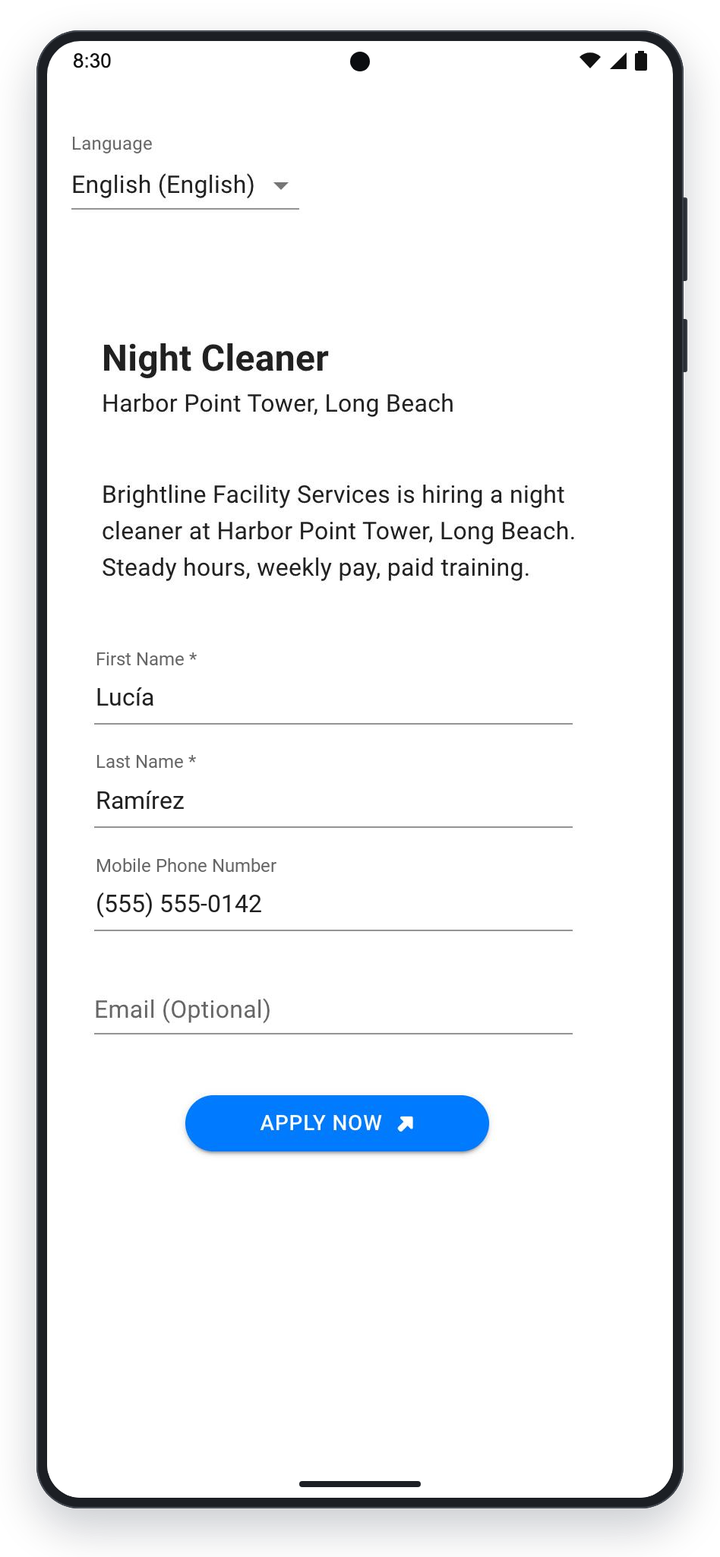
Apply for a Job in Any Language
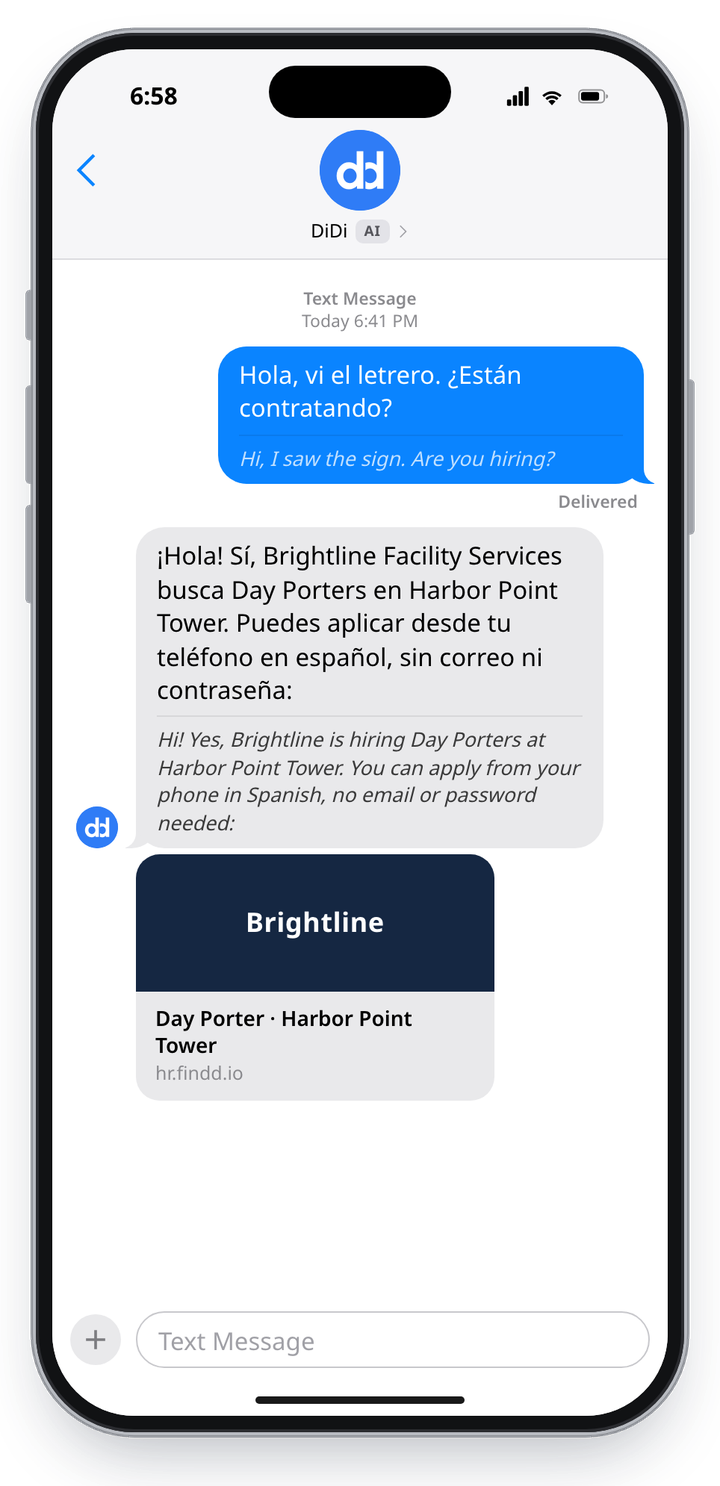
Applicants simply enter their phone number and receive a text with a link to apply. They can use their phone number to manage their application and employment with you – no email required. Applying is easy, since the applicant picks their language and the application is automatically translated into it, with step-by-step instructions.
Onboard New Employees on Any Device, No App to Download
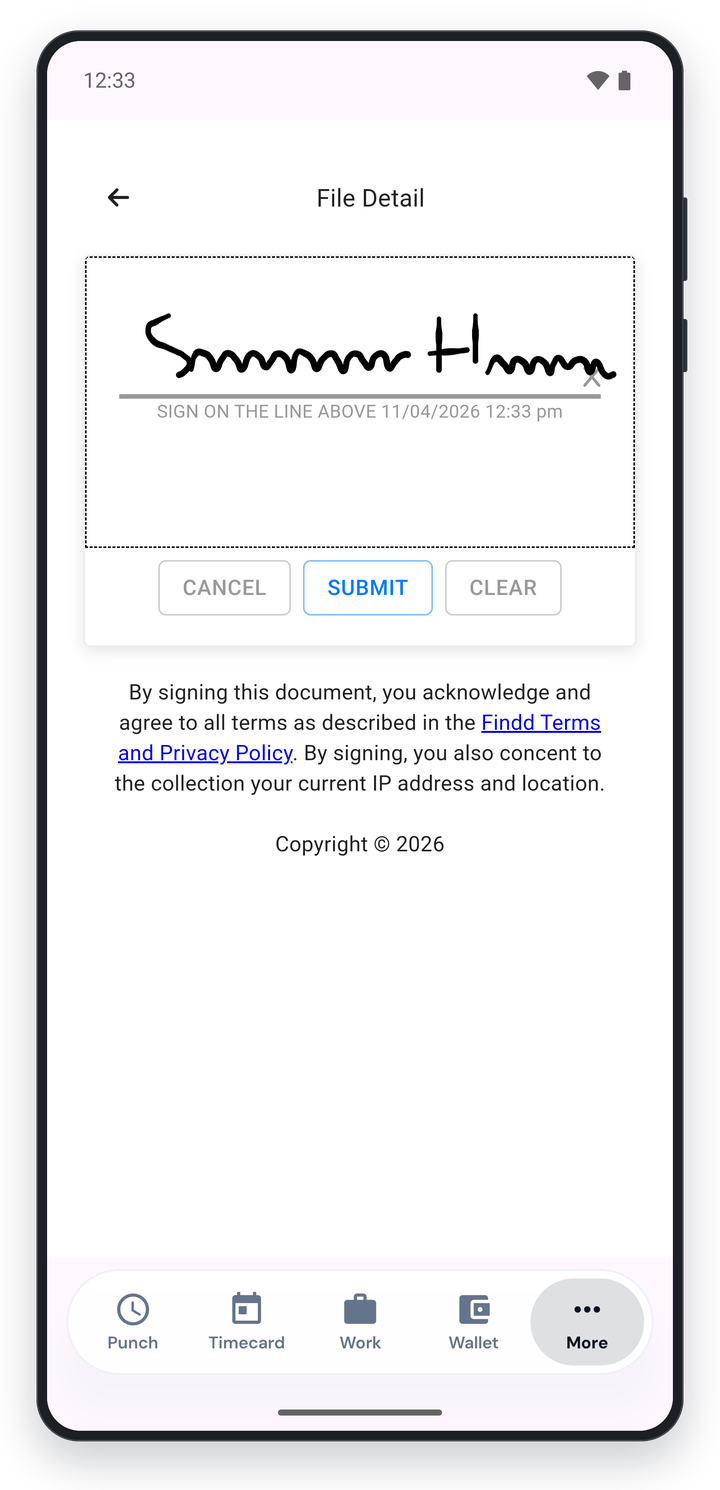
Once you hire an applicant, they can complete and sign all of their required documentation on their phone, tablet, or computer, with no app to download. Findd creates mobile-friendly forms that simplify complex documentation. Easy Complete means employees are only asked questions, like their address or phone number, once – and the answers are saved across all their forms.
Compliance Documentation Is Ready for You
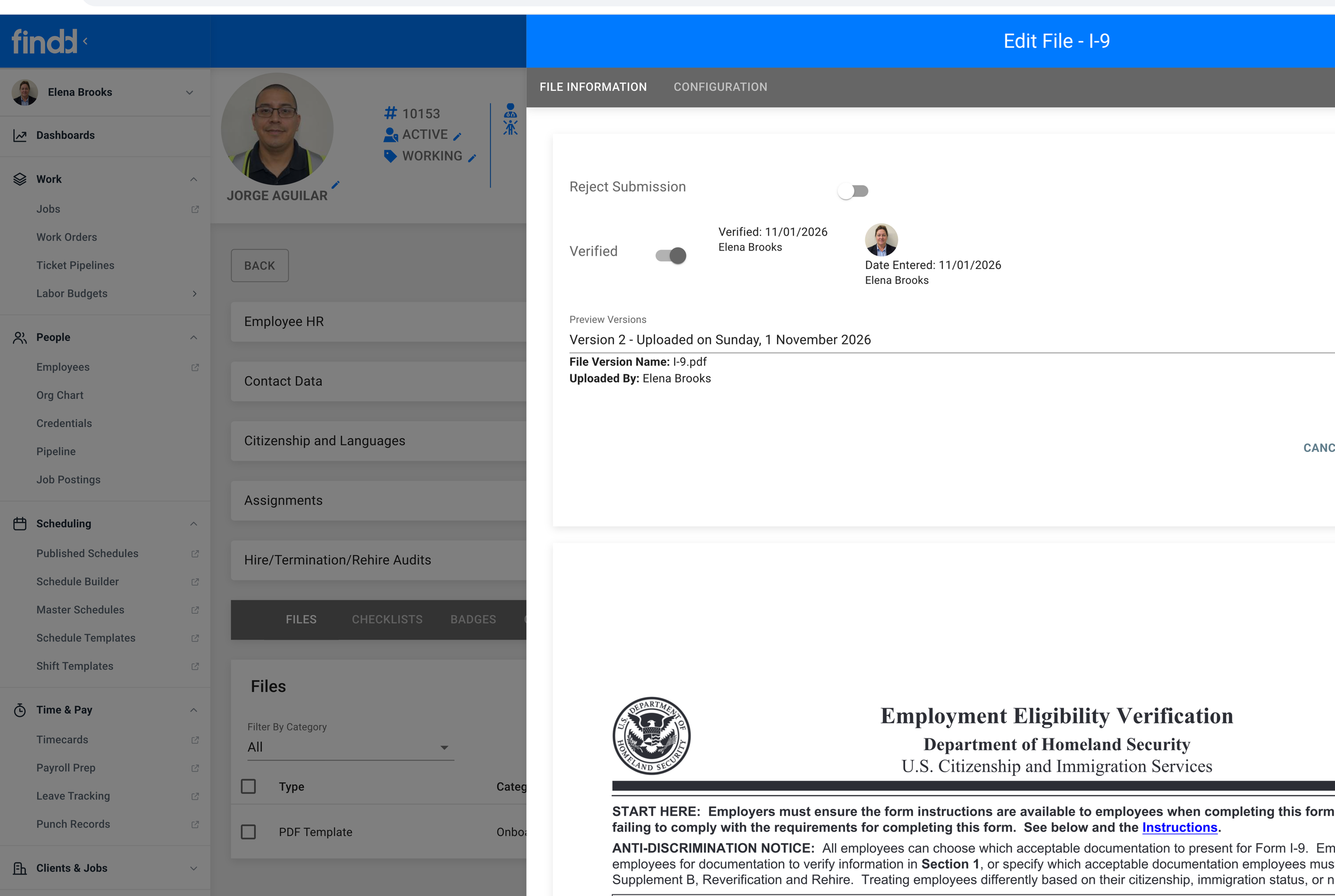
Easy Complete forms make filling out and saving documentation simple. Employees and applicants see a simple, digital form optimized for their device. Once a form is filled in, it's converted into a standard PDF document, like an I-9, that employees can sign digitally. These are saved as signed PDFs in the employee's record for easy reference, so they're there whenever you need them.
ATS, Onboarding, Offboarding, and Payroll-Ready Workflows
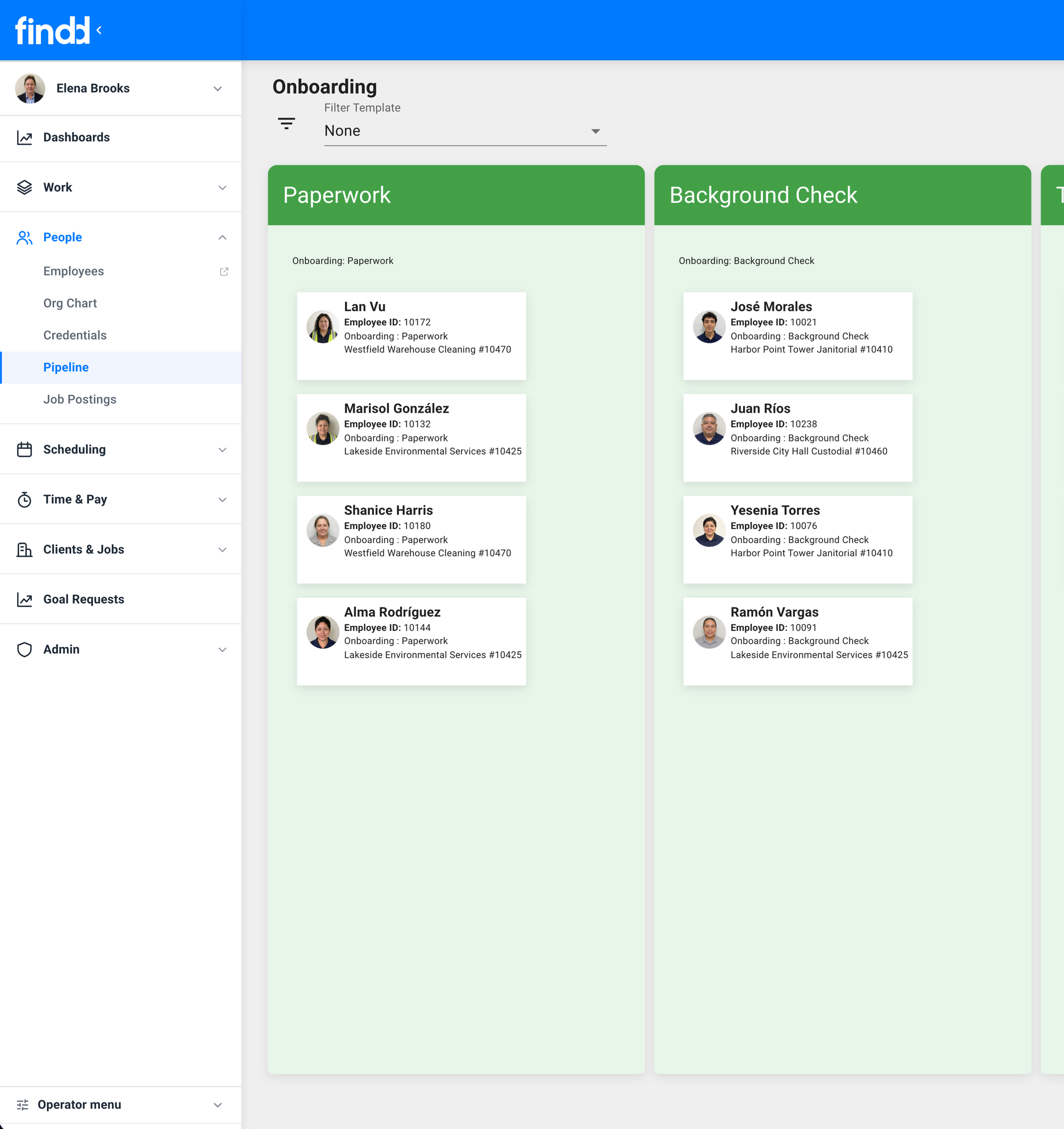
Findd HR enables you to customize different workstreams, such as applicant management, onboarding, and offboarding. You can set up rules for each stage and easily manage where employees and applicants are on a Kanban Board.
Easy for Supervisors
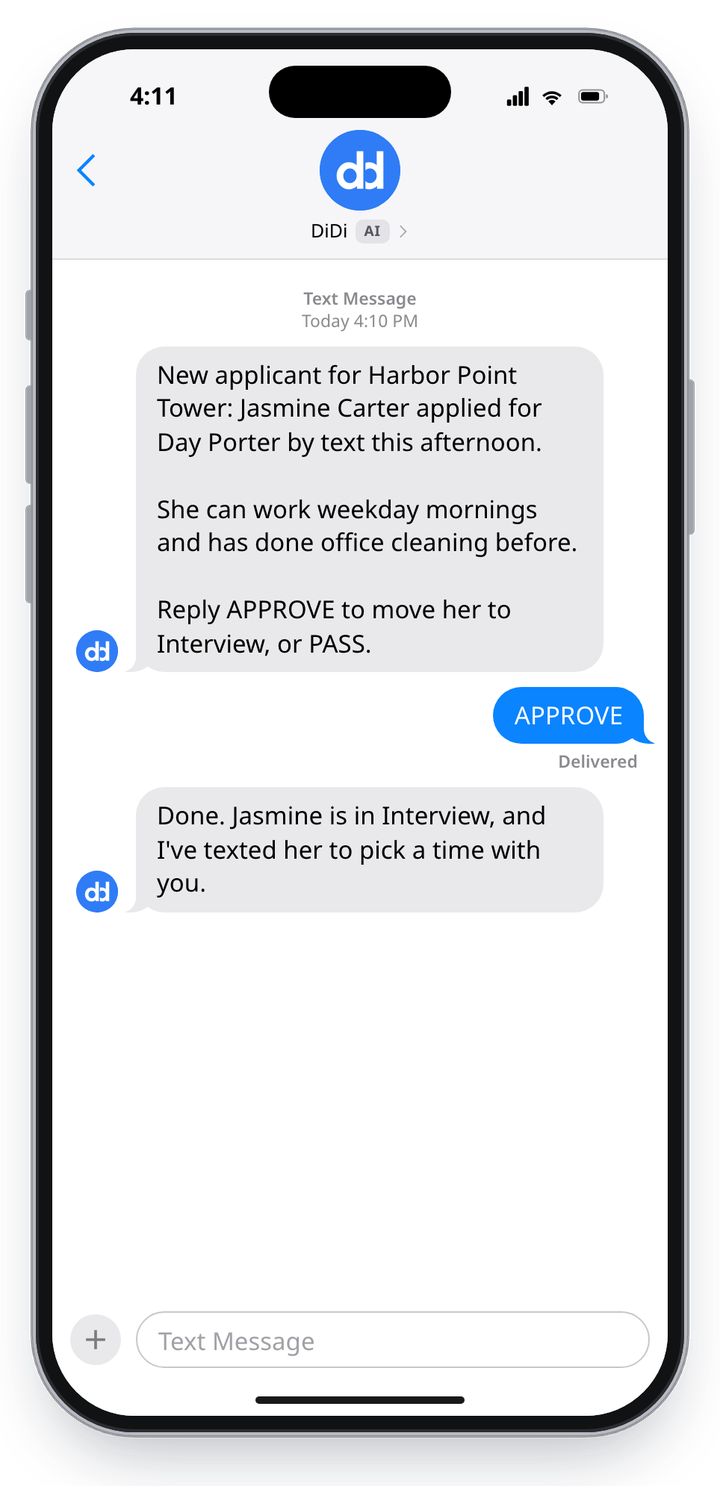
Supervisors hear about new applicants by text or email, and can reply to DiDi with questions and actions. Approve or decline candidates, move them forward in your hiring process, and kick off onboarding, all from their phone in the field.
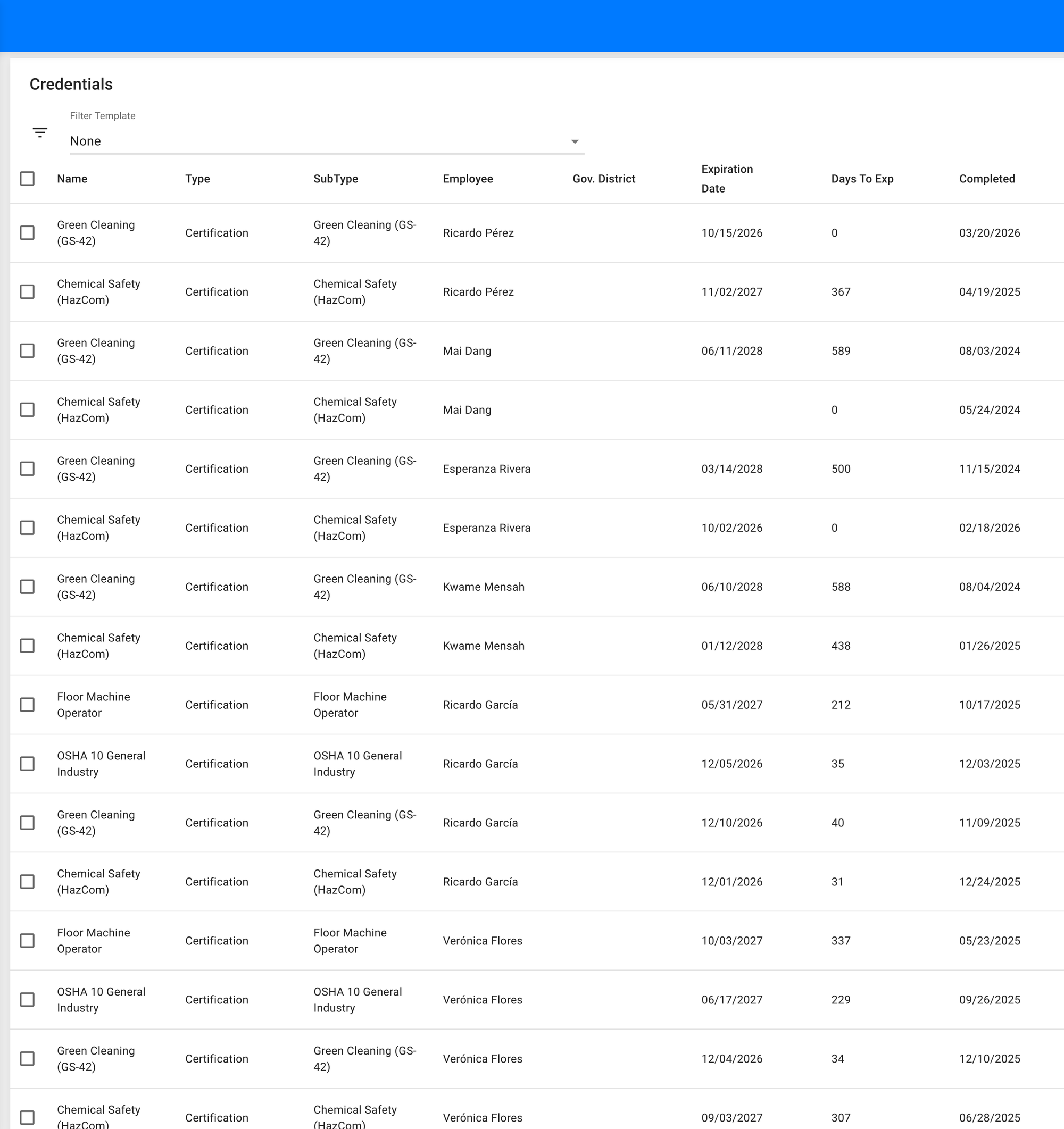
Track Credentials and Expirations
Keep every employee's licenses, certifications, and site badges in their Findd record, with expiration dates you can see at a glance. Findd flags credentials before they expire, so you can renew them in time and never send someone to a job they're not cleared for.
Post Job Once, Publish Everywhere
Post to your careers page on your website and job boards, anytime you need to fill additional postings. Applicants are directed to apply from their phone, tablet, or computer, with no app to download, keeping the path to hire easy.
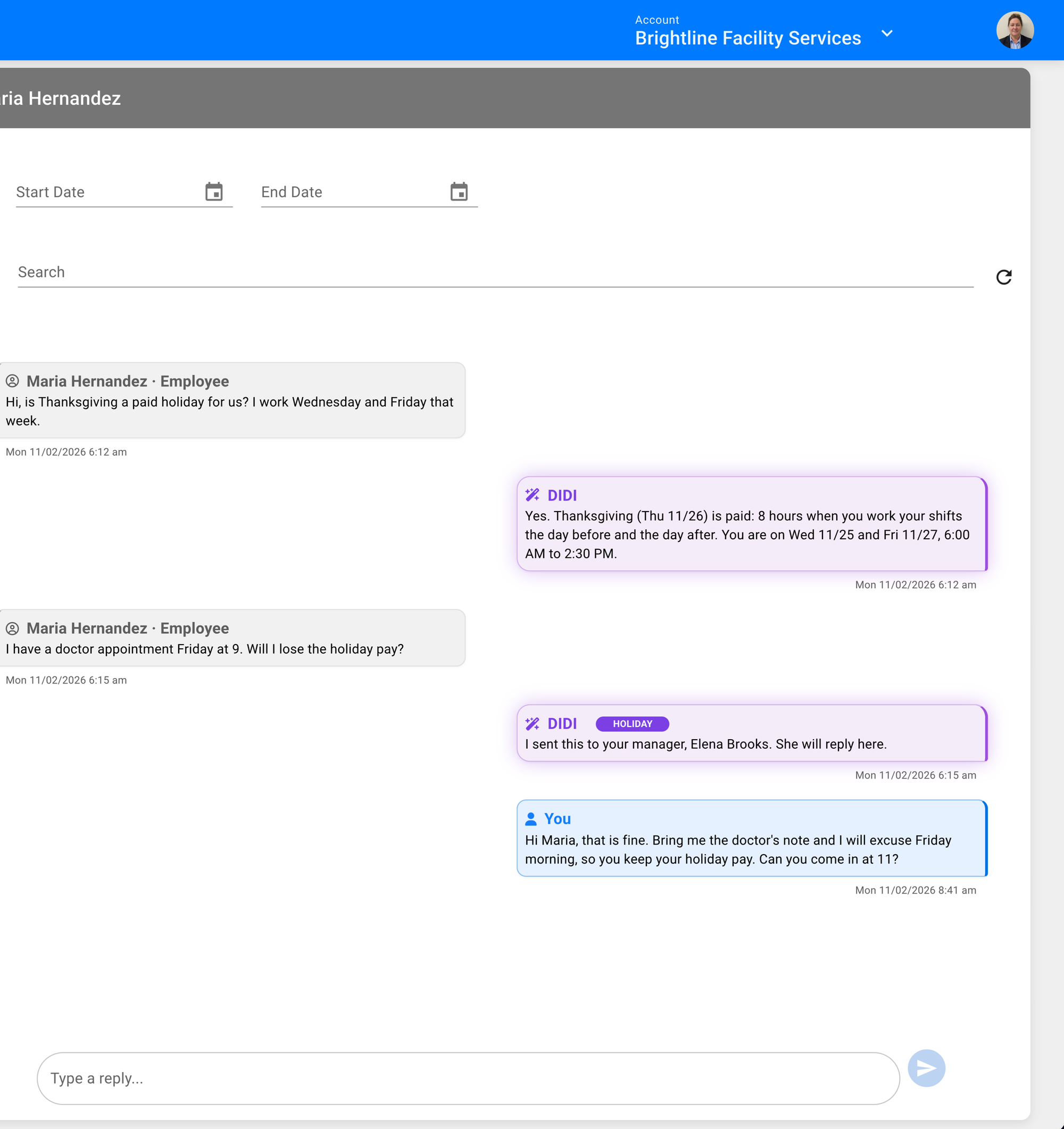
Communicate With the Frontline by Text or Email
Frontline staff can ask common questions about their work, policies, and shifts with DiDi by texting questions or chatting inside the app. When a question needs more clarity, it can be routed to back-office staff. Back-office staff can also broadcast communications right to the team for important information and updates.
Keep the People You Hire
DiDi texts each new hire on day 7, 30, and 90 to ask how it's going, in their own language. A good answer is saved to their record. A bad one is sent to the right person the same day, so you can fix the problem while they're still on your team.
See Who's Leaving, and Why
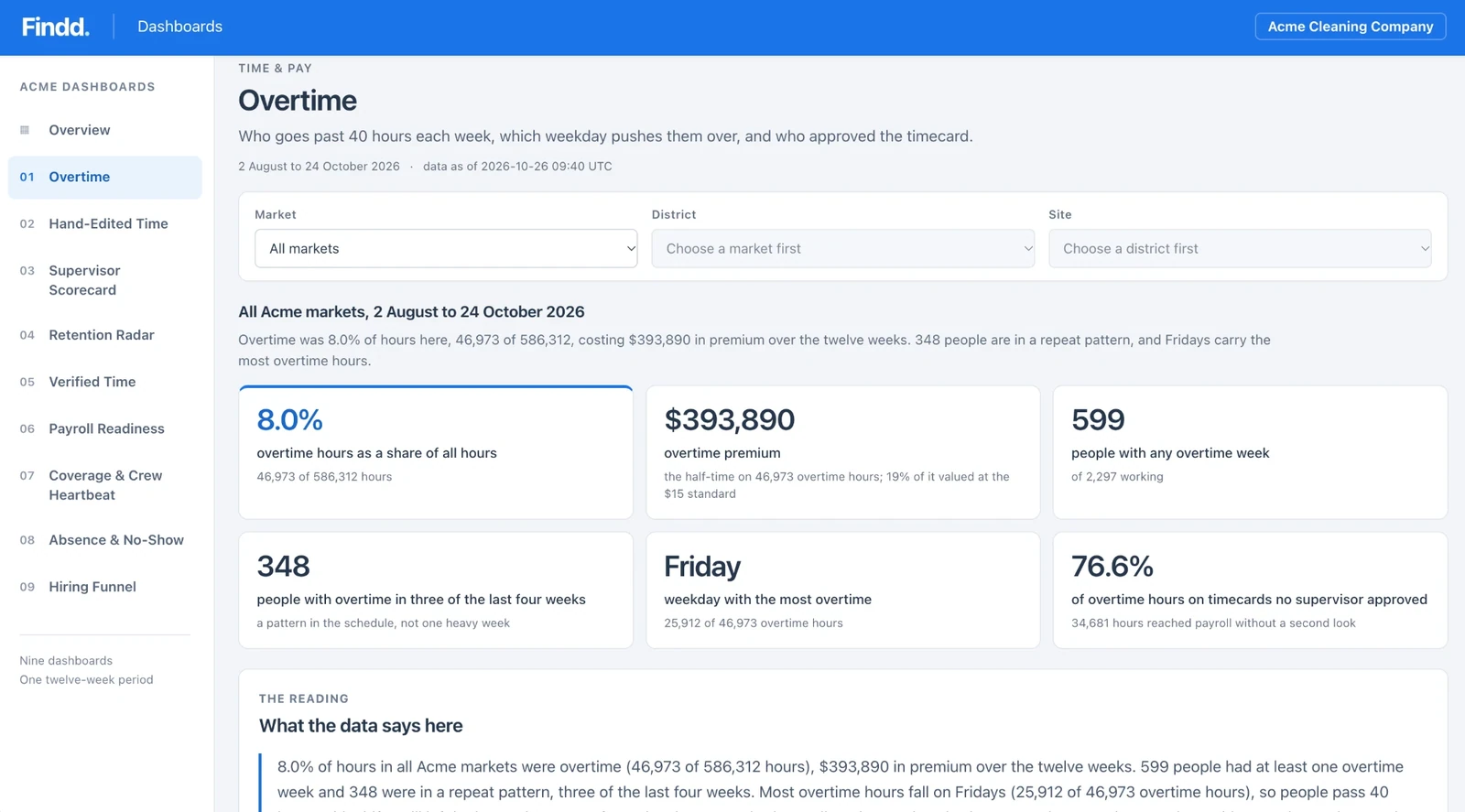
Retention Radar shows who's leaving by site, supervisor, and start date. It counts people who quietly stopped showing up, not just formal terminations, so you see your real turnover. When one site or supervisor loses new hires faster than the rest, you'll know where to look first.

The Findd Operating System
When you use Findd HR with WorkOps,TLM, and DiDi, you benefit from the magic of a connected operating system. When you don't have enough staff to complete a new job, DiDi can post your open roles for new applicants.
Learn more about Frontline Operating System ›