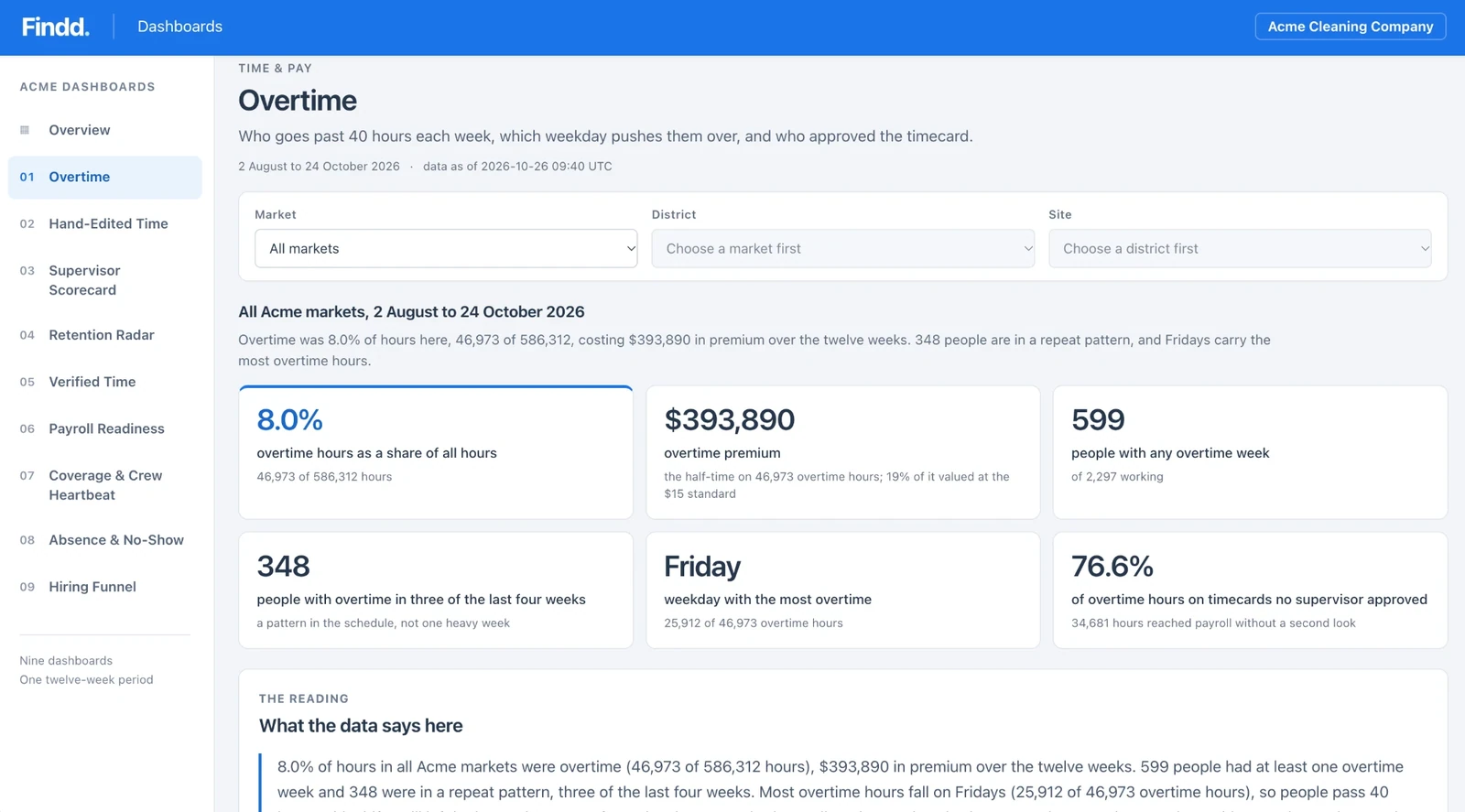

Take the Manual Work Out of Payroll
Paper timesheets, spreadsheets, and re-keyed hours make payroll slow, and the mistakes show up after people are paid. Findd turns verified punches into payroll-ready hours with your pay rules already applied, so your payroll team reviews exceptions instead of typing in time.
Why Payroll Takes so Long
Without Findd
Every site tracks time a little differently: paper sheets, punch clocks, spreadsheets, or a supervisor sending hours at the end of the week. Your payroll team re-keys it, chases missing approvals, applies the pay rules by hand, and then fixes the mistakes after employees call about their pay.
With Findd
With Findd, your payroll team spends the pay period reviewing exceptions instead of typing in hours. Employees are paid correctly the first time, so there are fewer calls about wrong pay and fewer corrections after payroll. And as you grow, you can add sites without adding payroll clerks.
Customer Story
With 1,800 full-time employees, one customer is able to run their payroll with 2.5 staff – down from a peak of 10 employees running payroll. Another customer saved 1% of the payroll costs while scaling hiring – without adding to their payroll team.
Time That Starts Out Right
Workers clock in with a selfie on their phone or a shared tablet, and every punch is checked for the right person, at the right site, at the right time. There are no more timesheets where everyone worked exactly eight hours, every day, all week.
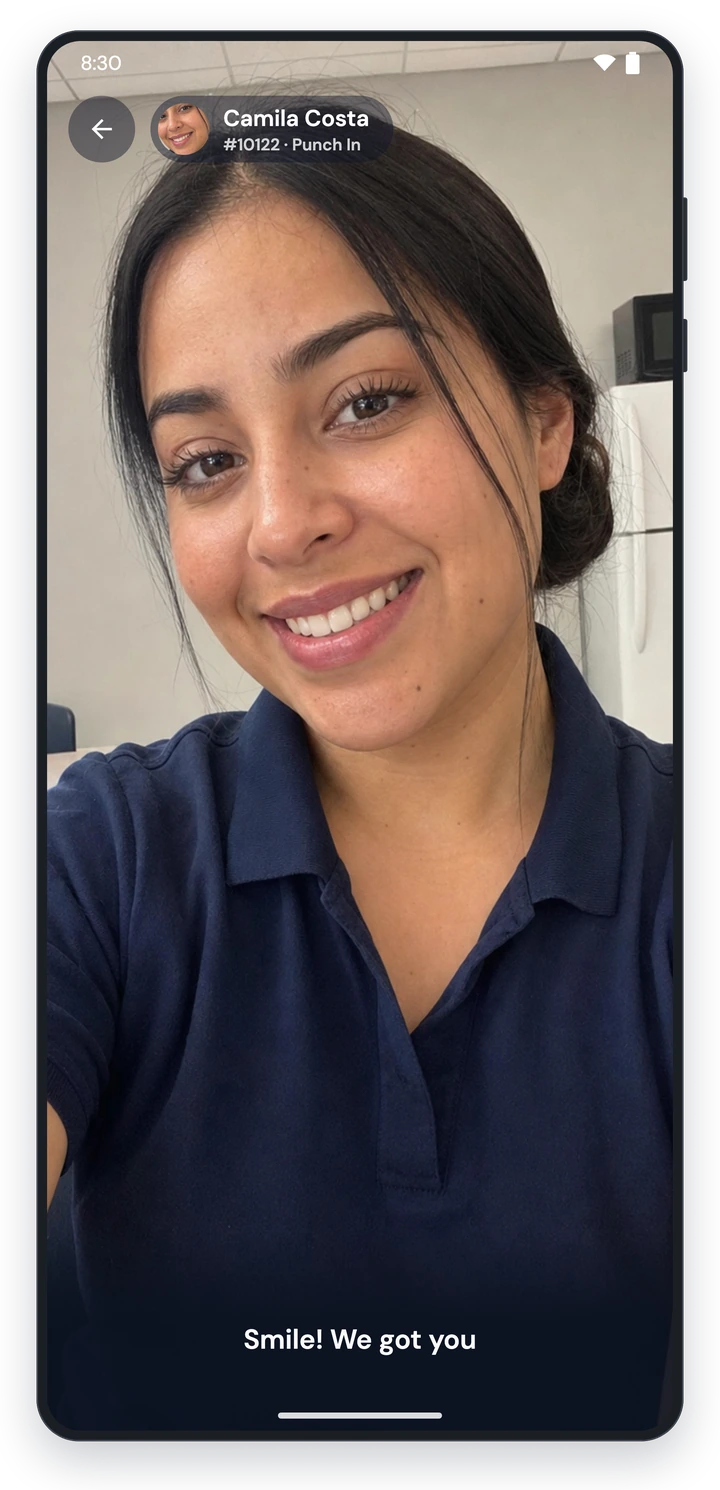
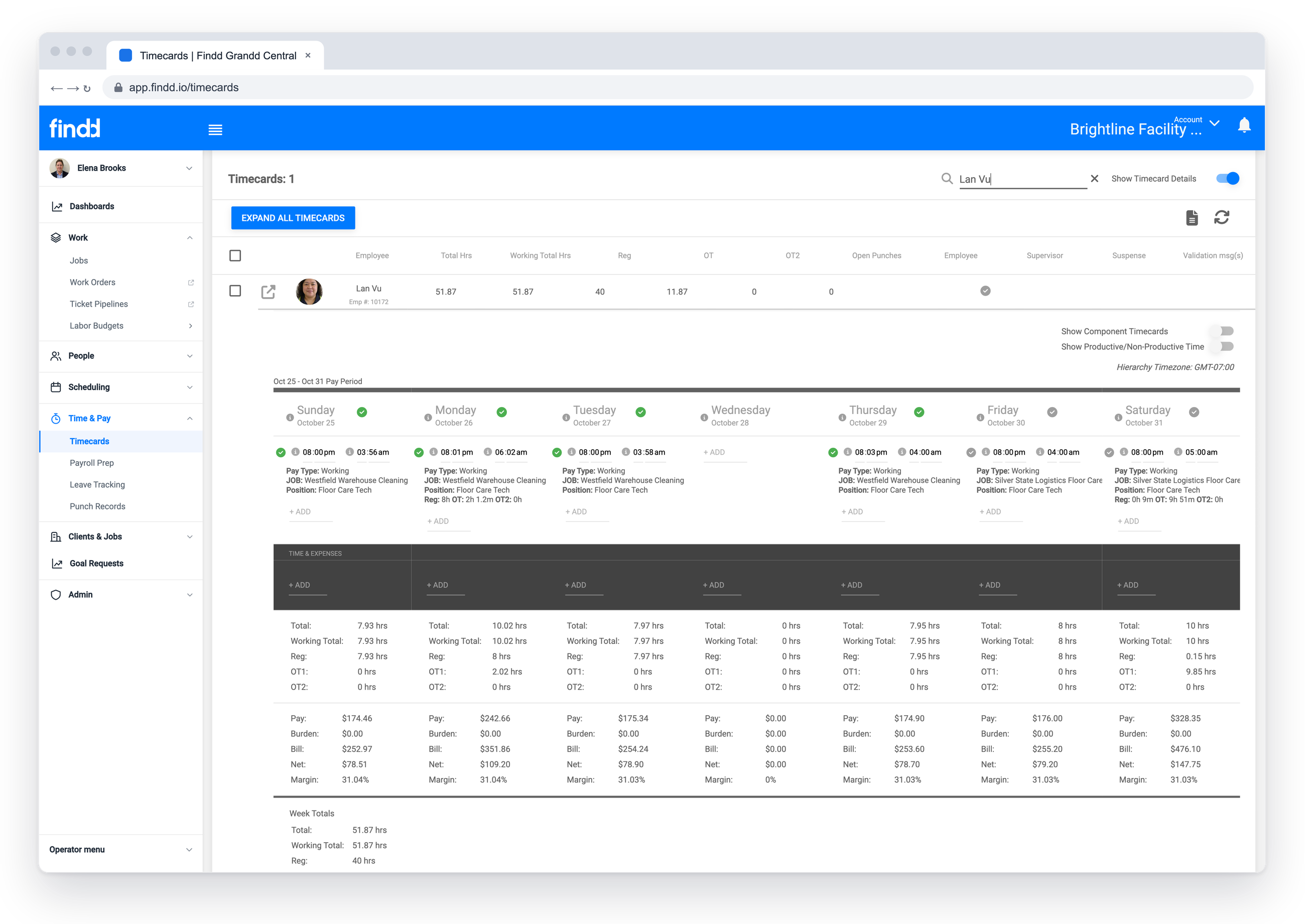
Pay Rules Applied on the Timecard
Overtime, meal and rest premiums, shift differentials, union rate tables, and different rates for different sites are calculated as the hours come in. Findd sets up your pay rules for you during implementation, so nobody is doing the math by hand at the end of the pay period.
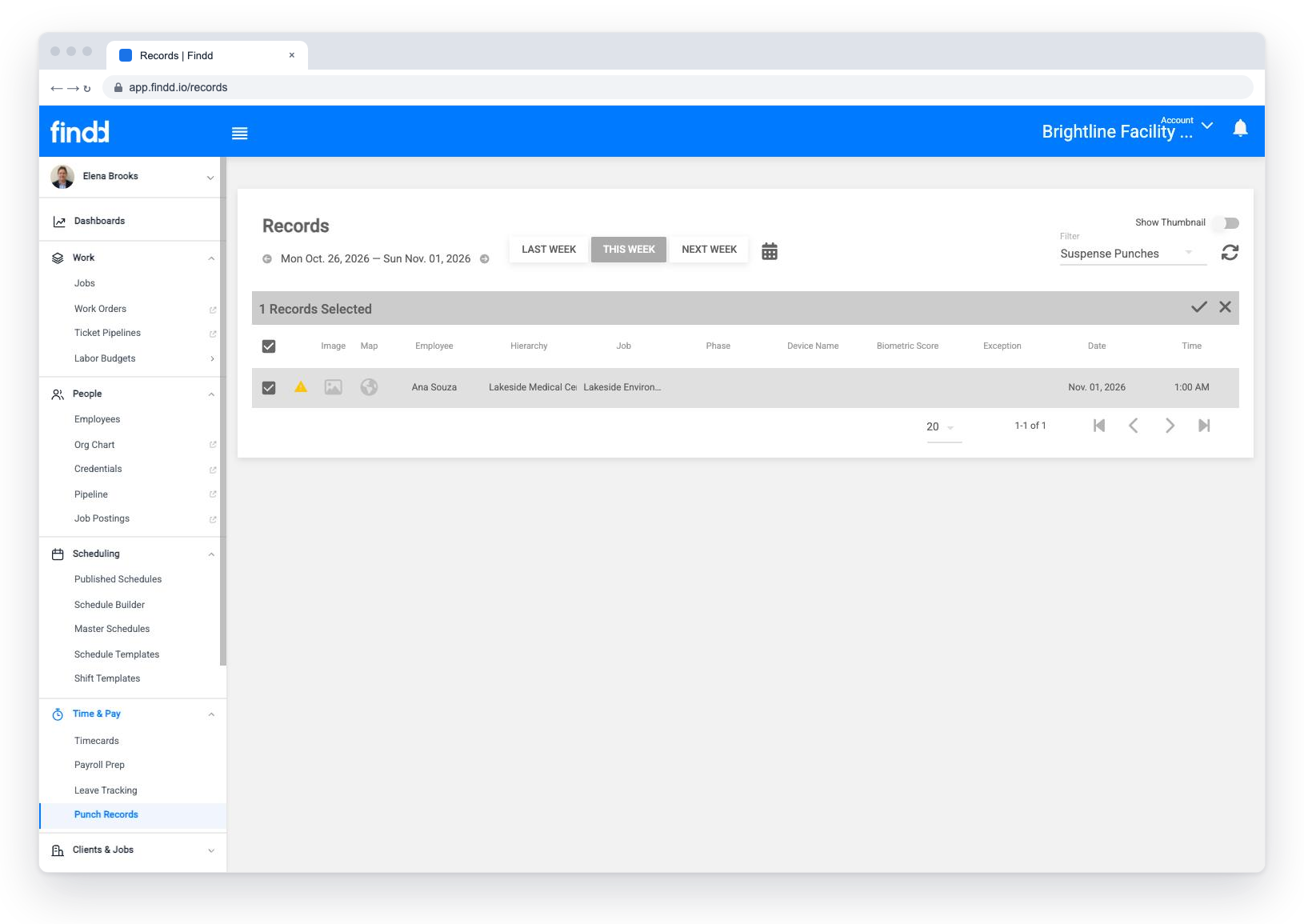
Fix Missing Punches Before Payroll
When someone forgets to clock out, Findd closes the open punch and lets the employee correct their own time, and their supervisor approves the change from their phone. Employees can also confirm their hours by text before payroll closes, so mistakes get fixed before anyone is paid.
Approvals That Don't Wait for the Last Day
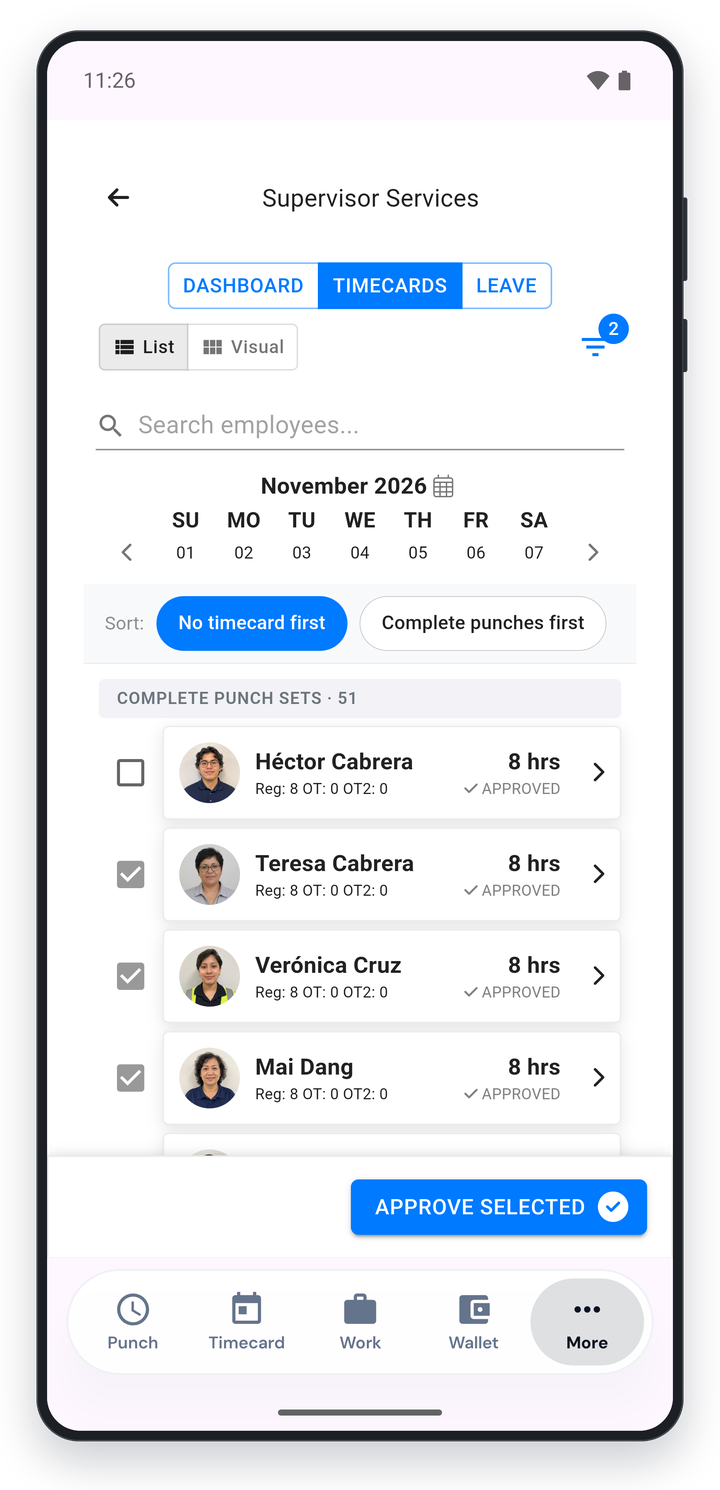
Supervisors approve timecards daily or at the end of a shift, from their phone or by replying to a DiDi email. Timecards that match the schedule with no flags can be approved automatically, so supervisors only look at the exceptions.
Catch Problems Before You Run Payroll
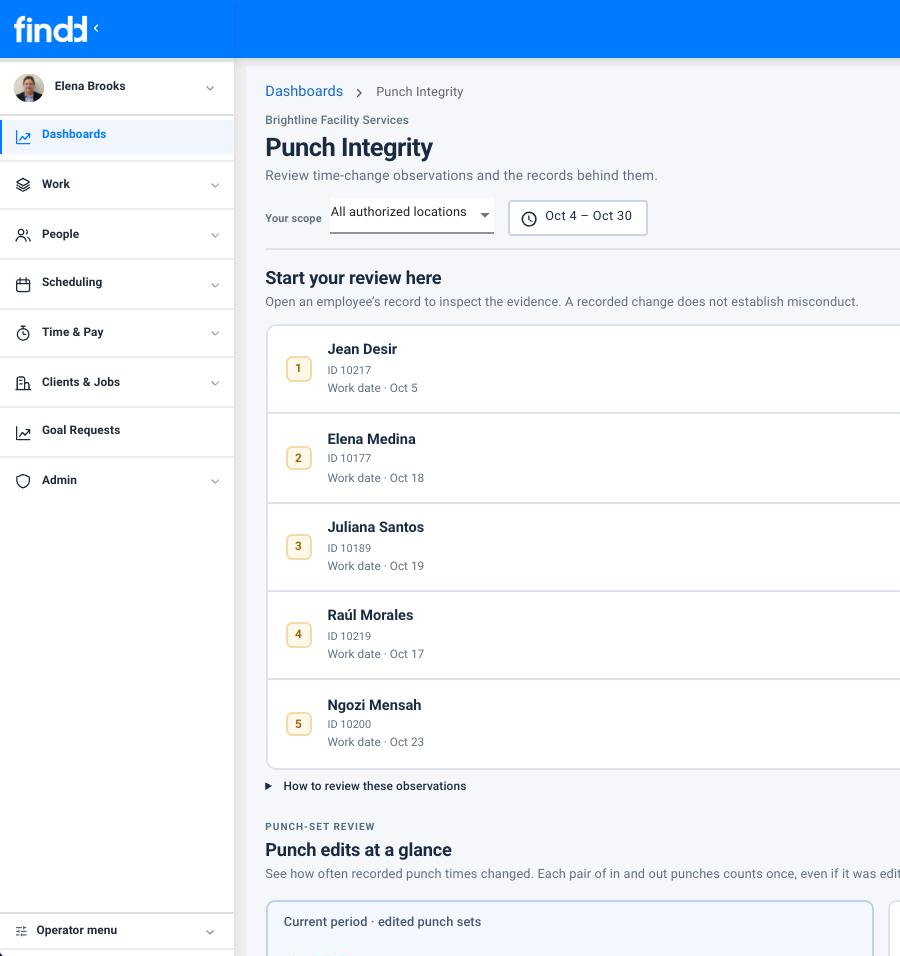
Before payroll closes, DiDi checks for missing premiums, hand-edited hours, changes made after approval, and other patterns that don't look right, and flags them to the right person. Every change is logged, and pay periods can be locked before export.
Payroll-Ready Data for Your Payroll Provider
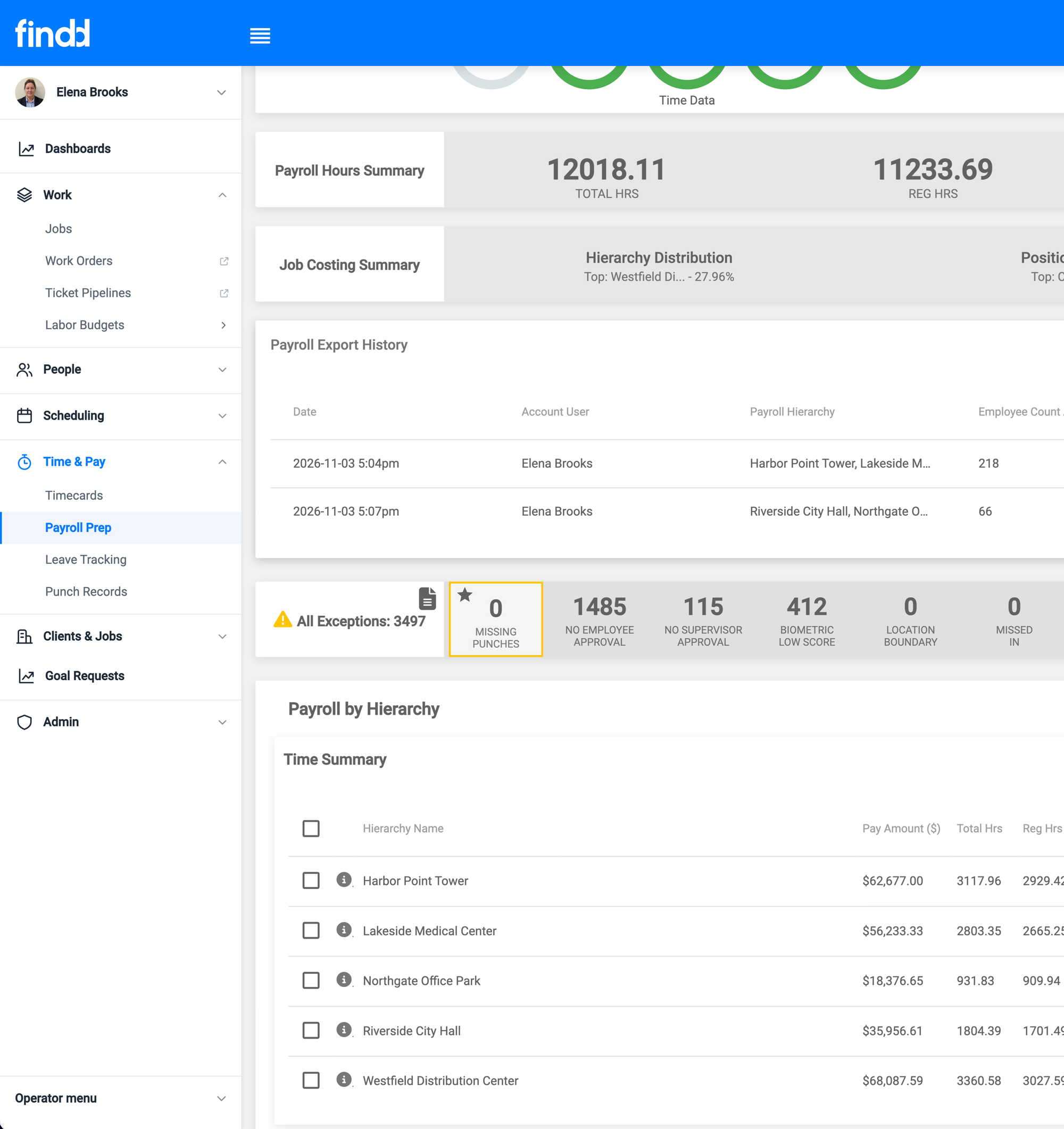
Findd prepares payroll, and your payroll provider pays it. Approved hours by job, pay code, and cost code go to ADP, WinTeam, UKG, Workday, Paylocity, and more, by API or by file, with no re-keying.
The Findd Operating System
Payroll problems usually start long before payroll. When you use TLM with HR, the Findd employee app, and DiDi, new hires arrive in payroll with their pay rates set up, verified time turns into pay data, and DiDi answers employees' pay questions before they turn into calls to your payroll team.
Learn more about the Findd Operating System ›